
Banned WhatsApp Business Account: What is the Message Limit?
Worried about a banned WhatsApp Business account? Learn the official API limits, how to avoid WhatsApp bans, and the truth about WhatsApp number warming.
- WhatsApp Business
- WhatsApp API
- Account Ban
- Number Warming
- Customer Service
The Truth About Message Limits and Banned Accounts
If you use messaging for sales or customer support, your biggest fear is likely waking up to a banned WhatsApp Business account. It halts operations, frustrates customers, and burns leads.
Many business owners and managers constantly search for a magic number. They ask: "Can I send 500 messages a day? What about 1,000?"
The hard truth is that there is no universal magic number for the standard application. Your account's safety depends entirely on your sender reputation, the tools you use, and how your customers react to your messages.
In this guide, we will break down exactly how message limits work, how to properly execute WhatsApp number warming, and what you must do to secure your business communications permanently.

Standard App vs. Official API: Why Mass Messaging is a Trap
To understand limits, you must first understand the platform you are using. The standard WhatsApp Business app (the one you download from the app store) is designed for manual, one-on-one conversations.
When you use unofficial tools or Chrome extensions to send bulk messages through the standard app, you are violating WhatsApp's Terms of Service. In this environment, sending even 50 unsolicited messages can trigger a ban if users block you.
Why does the standard app ban you so fast?
- It lacks official bulk-sending infrastructure.
- The algorithm flags rapid, automated typing speeds.
- It heavily weighs the ratio of messages sent versus messages received.
If you want to scale your outreach, you must migrate to the WhatsApp Business API. The API is Meta's official solution for medium and large-scale communication, offering structured limits and protecting you from random bans.
Official WhatsApp API Tiers: The Real Limits
Once you are on the official API, the rules change. Meta provides clear guidelines on how many unique customers you can initiate a conversation with in a 24-hour period.
These are known as Messaging Tiers. You start at the bottom and work your way up by maintaining high quality and doing proper WhatsApp number warming.
| API Tier | Daily Message Limit (Unique Customers) | Requirements to Upgrade |
|---|---|---|
| Tier 1 | 1,000 unique customers | Default starting tier for verified businesses. |
| Tier 2 | 10,000 unique customers | Send 500+ messages in 7 days with good quality. |
| Tier 3 | 100,000 unique customers | Send 5,000+ messages in 7 days with good quality. |
| Tier 4 | Unlimited | Send 50,000+ messages in 7 days with good quality. |
Keep in mind that these limits apply to business-initiated conversations (like marketing broadcasts or notifications). If a customer messages you first, you can reply freely without it counting against this specific outbound limit.
What is WhatsApp Number Warming?
You cannot simply connect a new phone number to the API and blast 1,000 promotional messages on day one. This is a guaranteed way to destroy your quality rating.
WhatsApp number warming is the strategic process of gradually increasing your sending volume while maintaining a high engagement rate. The goal is to prove to Meta that your business sends relevant content that users actually want to read.
How to properly warm up your number:
- Start with transactional messages: Send order confirmations, shipping updates, or appointment reminders. These have high read rates and almost zero block rates.
- Target your most engaged customers: When you start sending marketing messages, send them only to VIP clients who regularly interact with your brand.
- Encourage replies: Ask questions. A two-way conversation signals to WhatsApp that your number is valuable and not just a spam bot.
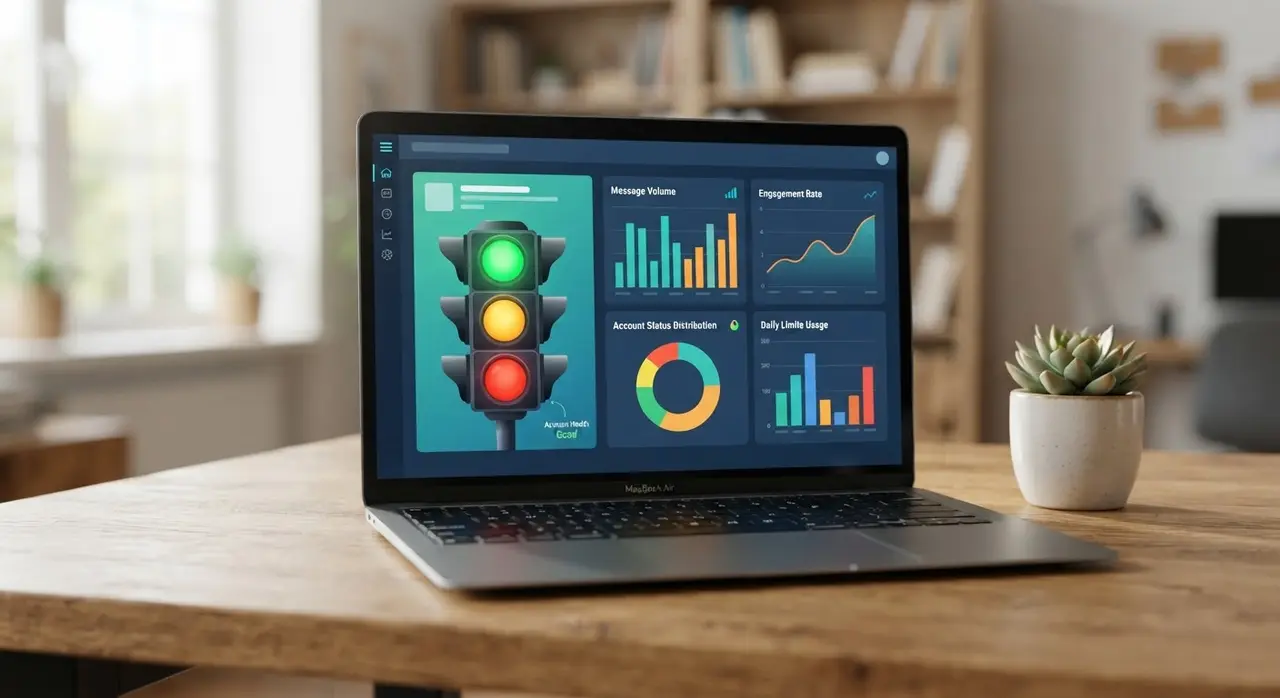
- Monitor your Quality Rating: Keep an eye on your Meta Business Manager dashboard. If your rating drops to "Medium" or "Low", pause your campaigns immediately.
Quality Rating and User Reports: The True Ban Triggers
Even on the official API, you can face restrictions. If you want to avoid a WhatsApp ban, you need to obsess over your Quality Rating.
Meta evaluates your number based on how recipients react. If users frequently tap "Block" or "Report Spam", your quality score plummets. When your score reaches a critical low, Meta will flag your account and restrict your sending tier.
The most common reasons for high block rates include:
- Sending messages without prior opt-in (consent).
- Sending irrelevant or overly frequent promotional blasts.
- Failing to provide a clear way to opt-out (e.g., "Reply STOP to unsubscribe").
- Slow response times when a customer replies to your campaign.
This last point is crucial. If a customer replies to your automated message and waits hours for a human agent, they get frustrated and report the number. This is where AI solutions become essential.
How to Safely Maximize Your Sending Limits
To safely reach Tier 3 (100,000 messages) or Tier 4 (Unlimited), you must blend volume with personalization. Generic blasts are a thing of the past.
First, segment your audience. Do not send the same promotion to your entire database. Tailor the message based on past purchases or specific interests.
Second, leverage post-sales engagement. Following up after a purchase is a natural way to keep the channel warm. You can even automate this process to drive satisfaction and referrals without manual effort.
Finally, always respect the customer's wishes. If they opt out, remove them from your list immediately. A clean, engaged list of 5,000 contacts will generate far more revenue—and keep your account much safer—than a cold list of 50,000.
Conclusion
Stop asking how many messages you can send before getting banned, and start asking how relevant your messages are to your audience.
By upgrading to the official WhatsApp Business API, respecting the tier limits, executing proper number warming, and delivering instant responses, you will completely eliminate the risk of a banned WhatsApp Business account. Focus on quality, and the volume will naturally follow.
Frequently Asked Questions
What happens if my WhatsApp Business account gets banned?
If banned, you will lose access to the app and all chat history. Your customers will see a message stating your number is no longer registered. You can appeal the ban through the app, but if you violated the terms using unofficial bulk software, the ban is usually permanent.
Can I use the standard WhatsApp Business app for mass messaging if I send them slowly?
No. Even if you throttle the speed, using unofficial extensions or broadcasting to hundreds of people who haven't saved your number will eventually trigger WhatsApp's anti-spam algorithms. The only safe way to scale is through the official API.
How long does WhatsApp number warming take?
Proper number warming on the API usually takes 7 to 14 days. It involves starting with a low volume of transactional messages (like 50-100 per day) and gradually increasing the volume while monitoring the quality rating in your Meta Business Manager.
Does receiving messages affect my sending limit?
No. The limits (1k, 10k, 100k) only apply to business-initiated conversations. If a customer messages you first (user-initiated conversation), you can reply to them without it counting toward your daily outbound limit.
How can AI help prevent my account from being banned?
AI ensures that whenever a customer replies to your broadcast, they receive an instant, helpful response. High engagement and fast response times signal to Meta that your account provides value, which keeps your quality rating high and prevents users from blocking you out of frustration.