
WhatsApp Template Quality Rating: How to Keep It High
Maintain high WhatsApp template quality rating by following Meta compliance, organizing WhatsApp contacts, and using AI workflows to prevent blocks.
- WhatsApp API
- Template Quality Rating
- WhatsApp Business Rules
- Organize WhatsApp Contacts
- Customer Support Automation

A WhatsApp template quality rating is Meta's algorithmic score reflecting how recipients receive and interact with your broadcast messages over a rolling 7-day period. Maintaining a high quality rating is essential because dropping to low quality restricts daily messaging limits and risks temporary or permanent template pausing.
When businesses send outbound campaigns via the WhatsApp Business API, Meta closely monitors user signals. Every spam report, direct block, or dismissed notification lowers your message score. Keeping your account in the green zone requires structured messaging protocols, clear opt-ins, and proactive conversation management.
What determines your WhatsApp template quality rating
Meta calculates template quality ratings based primarily on direct feedback signals from message recipients over recent delivery windows. The platform assigns each active message template one of three quality states: High (Green), Medium (Yellow), or Low (Red).
When customers receive your message, Meta provides them with immediate UI options to block your number or report the message as spam. These negative actions heavily weight the quality score. If a high percentage of users click report within minutes of receiving a template, Meta automatically downgrades the template's rating.
Beyond explicit blocks, user engagement signals also play a role in maintaining account health. High read rates, quick replies, and ongoing two-way conversations signal to Meta that your broadcasts deliver genuine utility rather than unsolicited spam.
- High Quality (Green): Indicates optimal engagement with negligible block or report rates. Messaging limits remain stable or upgrade automatically.
- Medium Quality (Yellow): Signals an increasing frequency of user complaints or lower response rates. Immediate template adjustments are recommended.
- Low Quality (Red): Represents critical levels of user feedback. The template faces active risk of being paused or flagged for compliance review.
Key WhatsApp Business rules that protect your delivery reputation
Strict adherence to official regras do whatsapp business prevents operational disruptions and protects your sender reputation across all messaging tiers. Meta enforces rigorous commercial guidelines regarding message content, opt-in consent, and user privacy.
First, explicitly obtain user opt-in before initiating outbound template messages. Dark patterns, bought contact lists, or hidden consent checkboxes result in immediate spike in customer spam reports. Users must clearly understand what type of updates they are agreeing to receive on WhatsApp.
Second, ensure message content strictly matches the approved utility, marketing, or transactional category. Attempting to pass off promotional broadcasts inside an approved transactional template leads to immediate template rejection and score penalties.
Third, provide a clear, effortless way for users to opt out of marketing messages directly within the conversation window. Adding simple quick-reply buttons like Stop Promotions or Unsubscribe drastically reduces the likelihood of users clicking Meta's nuclear Block & Report button.
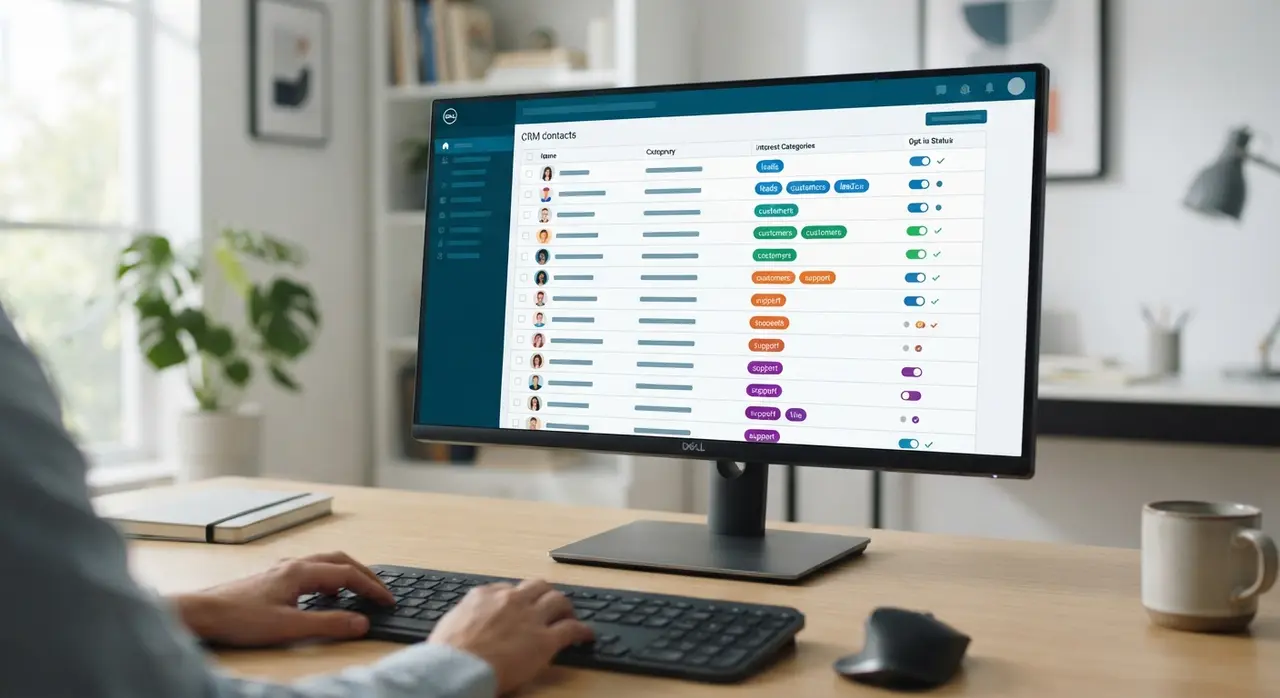
How organizing WhatsApp contacts reduces user blocks and reports
Proper segmentation allows companies to send highly targeted notifications, which directly prevents list fatigue and user blocks. Sending generic mass blasts to unsegmented databases is the single fastest way to destroy your template quality score.
To effectively organizar contatos whatsapp, businesses must tag leads by interest, purchase history, lifecycle stage, and preferred communication frequency. Segmenting your audience ensures that customers receive offers relevant to their explicit needs.
Implement dynamic custom fields inside your contact database to personalizing template variables. When a broadcast addresses the recipient by name and refers to their recent service inquiry, the recipient perceives the outreach as personalized service rather than intrusive marketing.
- Filter by activity: Exclude inactive contacts who have not engaged with your WhatsApp channel in over 90 days.
- Tag by interest: Group leads based on specific product pages visited or service forms submitted.
- Respect contact preferences: Log explicit user preferences regarding notification frequency and topic categories.
Connecting WhatsApp on Google My Business to qualified inbound flows
Linking an optimized WhatsApp channel to your Google Business Profile generates high-intent inbound conversations that boost overall account health. Inbound inquiries initiated directly by customers naturally carry zero block risks and maintain maximum engagement metrics.
When local searchers find your company via whatsapp no google meu negócio integrations, they expect immediate, frictionless service. Automating initial responses ensures leads receive instant quotes, business hours, or booking links before bounce rates increase.
Integrating your local search traffic with automated AI handling allows you to qualify prospective buyers before transferring them to live sales teams. These positive inbound interactions balance out cold outbound outreach, lifting overall phone number quality scores.
| Traffic Source | User Intent Level | Quality Rating Risk | Recommended Workflow |
|---|---|---|---|
| Google My Business Click | Very High (Inbound) | Near Zero | Instant AI qualification & scheduling response |
| Website Contact Form | High (Inbound) | Low | Automated transactional confirmation message |
| Opted-in Lead Database | Medium (Outbound) | Moderate | Segmented value offer with quick opt-out button |
| Cold Purchased Lists | Unacceptable | Critical (High Penalty) | Prohibited by Meta policies; do not use |
Step-by-step strategy to restore a degraded quality rating
Restoring a degraded quality rating requires immediate suspension of low-performing broadcasts and systematic cleanup of recipient lists. Continuing to send flagged templates will quickly trigger phone number messaging limit reductions from 100k down to 1k daily messages.
When a template drops to Yellow or Red, immediately pause all scheduled automation sequences using that specific template structure. Review the template copy to verify that variable parameters render cleanly without broken text or confusing placeholder formatting.
Next, isolate your audience list. Resume testing only with your most engaged customer tier—such as recent buyers or active service subscribers. Re-establishing high read and response rates on small, warm batches signals to Meta's system that message delivery quality has been successfully restored.
Mini Case Example: A mid-sized logistics provider experienced a template drop to Low Quality (Red) after sending delivery tracking notifications with generic variable placeholders. By replacing vague notification text with precise delivery windows and incorporating an automated quick-reply option for rescheduling via IAChatbot, customer complaints plummeted. Within four days, the template quality score recovered to High (Green), preserving their 100,000 daily messaging tier without operational downtime.
Automating compliant outbound workflows with IAChatbot
Implementing intelligent AI routing protects your operational infrastructure while scaling customer support and automated sales operations on WhatsApp. Intelligent conversation engines manage rate limits, monitor response rates, and enforce opt-out rules automatically.
Platforms like IAChatbot integrate seamlessly with enterprise CRMs to keep contact segments synchronized in real time. When a customer updates their messaging preferences or requests human assistance, AI agents handle handoffs smoothly, ensuring zero frustration and minimal user reports.
By combining hyper-personalized AI interactions, structured contact organization, and strict policy adherence, companies scale WhatsApp operations safely while maintaining peak quality ratings across every campaign.
Frequently asked questions
What is a WhatsApp template quality rating?
It is a quality score assigned by Meta that reflects how well recipients accept your broadcast messages based on blocks, spam reports, and engagement over a rolling 7-day period. High scores ensure uninterrupted message delivery and higher sending limits.
How long does it take to restore a red quality rating to green?
Template quality ratings adjust dynamically over a rolling 7-day window. By immediately pausing problem broadcasts and sending small, highly targeted campaigns to engaged users, ratings typically recover within 3 to 7 days.
Can a low template quality rating get my WhatsApp Business API account banned?
Yes, repeatedly triggering low quality ratings can result in lower daily messaging limits, temporary template pausing, or permanent account restriction by Meta. Following strict opt-in guidelines prevents these severe penalties.
Does adding an opt-out button improve template quality ratings?
Yes, providing a simple quick-reply opt-out button significantly improves quality ratings. Customers who no longer wish to receive updates will tap the opt-out button instead of choosing Meta's report or block option.