
Build an AI Agent: Botpress & SGP Provedor
Learn how to build a Botpress chatbot integrated with API SGP. Discover step-by-step API integration to automate your ISP customer service efficiently.
- Botpress
- SGP Provedor
- API Integration
- ISP Automation
- AI Customer Service
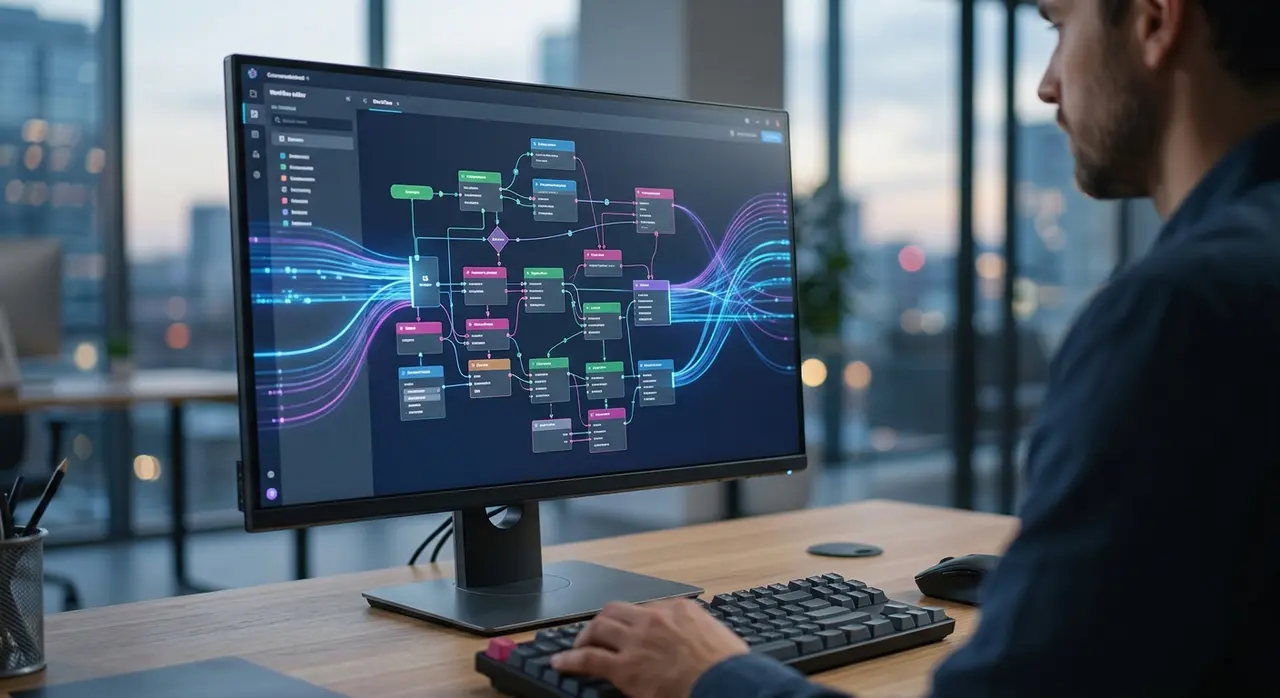
Transforming ISP Support with AI
Is your ISP support team overwhelmed by repetitive tasks? Every single month, regional ISPs waste hundreds of hours generating duplicate bills, checking connection statuses, and answering basic routine questions.
By building a Botpress chatbot integrated directly with your ERP, you can completely eliminate this operational bottleneck. An AI customer service agent doesn't just talk to your clients; it actually resolves their problems in real-time.
When you combine advanced conversational AI with the robust data of SGP Provedor, you create a seamless experience. Your subscribers get instant answers 24/7, and your human agents can focus on complex technical issues that actually require human intervention.
Why Combine Botpress and SGP Provedor?
Botpress is one of the most powerful AI-native chatbot builders available today. It uses large language models (LLMs) to understand user intent naturally, meaning your customers don't have to navigate rigid, frustrating menus.
However, an AI is only as smart as the data it can access. That is where the API SGP comes in. By connecting Botpress to your SGP system, your bot stops being a simple FAQ auto-responder and becomes a fully functional digital employee.
This true API integration allows the bot to fetch live financial data, check network outages, and authenticate users securely. The result is a highly efficient automated customer service operation that scales effortlessly as your ISP grows.
Step 1: Modeling Your AI Customer Service Flow
Before touching any code or API keys, you must map out exactly what your AI agent will do. Trying to automate everything at once is a common mistake that leads to poor user experiences.
Start with the highest-volume requests. For most ISPs, this includes billing inquiries and trust unlocks (desbloqueio em confiança). Outline the conversational flow step-by-step.
- Greeting & Authentication: Ask for the CPF or CNPJ to identify the subscriber.
- Intent Recognition: Let the AI understand if the user wants a bill, technical support, or a plan upgrade.
- Action Execution: Trigger the API call to SGP based on the user's need.
- Resolution: Deliver the PDF or Pix code directly in the chat.

Step 2: Connecting to the API SGP
Once your flow is modeled in Botpress, it is time to connect the brain to the database. SGP Provedor offers a comprehensive REST API that allows you to query subscriber information securely.
In Botpress, you will use the "Execute Code" node or the native "API Request" card to make your calls. First, you need to authenticate using your SGP API token. Always store this token securely in Botpress's environment variables, never in plain text.
Your first API call will usually be a GET request to search for the customer using the CPF provided in the chat. If you want to dive deeper into how to structure these data requests, check out our guide on extracting API SGP real-time data for AI agents.
Step 3: Fetching Financial Data and Handling Responses
Once the AI customer service agent has identified the client, it needs to fetch the open invoices. You will make another API request to the financial endpoint of SGP Provedor.
The API will return a JSON response containing the billing details. Your Botpress agent must parse this JSON to extract the most critical information: the due date, the total amount, and the Pix copy-paste line (linha digitável).
Instead of just dumping raw data on the user, use Botpress to format the response naturally. For example: "I found an open invoice for $89.90 due on the 10th. Here is your Pix code to pay right now!"
For a specific walkthrough on handling billing documents, you can read our detailed post on AI integration for duplicate bills.

Step 4: Managing Edge Cases and Fallbacks
A successful Botpress chatbot must know how to handle failure gracefully. What happens if the API SGP is temporarily down? What if the user types an invalid CPF?
Always build fallback branches in your Botpress workflow. If the API returns a 404 (Not Found) or a 500 (Server Error), the bot should apologize and offer an alternative.
- Invalid CPF: Prompt the user to type it again without dots or dashes.
- System Timeout: Inform the user that the system is busy and seamlessly transfer the chat to a human agent.
- No Open Bills: Send a friendly message confirming that their account is fully up to date.
Step 5: Testing and Publishing Your Agent
Before launching your automated customer service to the public, rigorous testing is mandatory. Use the Botpress emulator to simulate various customer scenarios.
Test happy paths (everything works perfectly) and unhappy paths (server errors, wrong inputs). Ensure that the financial data returned matches the actual SGP dashboard precisely.
Once validated, you can deploy your Botpress chatbot to your ISP's WhatsApp number using the official Meta Cloud API or an omnichannel inbox provider. The transition for the customer should be instant and frictionless.
Measuring the Impact on Your ISP
Deploying an AI agent is not just a tech upgrade; it is a strategic business move. ISPs that implement deep API integrations typically see a massive drop in Level 1 support tickets.
| Metric | Before AI Agent | After AI Agent |
|---|---|---|
| Average Response Time | 15 - 30 minutes | Instant (Under 2 seconds) |
| Self-Service Resolution | 10% | Up to 75% |
| Human Agent Workload | Overwhelmed | Focused on high-value tasks |
By automating routine requests, your team can finally focus on proactive retention, network maintenance, and upselling higher-tier internet plans to your subscriber base.
Frequently Asked Questions
Do I need to be a senior programmer to integrate Botpress with SGP?
While you do not need to be a senior software engineer, you do need a solid understanding of how REST APIs, JSON data, and webhooks work. Botpress provides a visual interface, but the data manipulation requires basic logical programming skills.
Is it secure to send financial data through the chatbot?
Yes, provided you follow best practices. The connection between Botpress and the API SGP is encrypted via HTTPS. Additionally, by validating the CPF or CNPJ before providing any billing information, you ensure data privacy for your subscribers.
Can the AI agent perform a trust unlock (desbloqueio em confiança)?
Absolutely. You can configure the bot to check if the user is eligible for a trust unlock (e.g., they haven't used it in the last 30 days). If eligible, the bot sends a POST request to SGP to unlock the connection instantly, without human intervention.
What happens if the AI does not understand the customer?
Botpress uses advanced Natural Language Processing, making misunderstandings rare. However, if the user asks something completely outside the bot's knowledge base, it will automatically trigger a handover protocol, transferring the full chat history to a human attendant.