
Connect Booksy API to an AI Scheduling Agent
Learn how to connect the Booksy API to an AI scheduling agent using n8n. Automate your clinic's first contact and WhatsApp bookings 24/7.
- Booksy API
- n8n Automation
- AI Scheduling
- Clinic Automation
- WhatsApp Bot

Connecting the Booksy API to a smart scheduling agent requires using an automation platform like n8n to sync calendar data with an AI assistant on WhatsApp. This integration allows the AI to check real-time availability, book appointments, and handle the first contact automatically without human intervention. By bridging your booking software with conversational AI, aesthetics clinics can eliminate scheduling bottlenecks and capture leads 24/7. Understanding como usar n8n (how to use n8n) effectively dictates how smoothly your data flows between Booksy and your messaging apps.
The Role of Booksy API in Clinic Automation
The Booksy API serves as the central data bridge that allows external AI agents to read your clinic's real-time calendar and write new appointments directly into your system. When a patient reaches out, the AI queries this interface to fetch available time slots for specific treatments. This real-time sync prevents double bookings and ensures the AI only offers slots that are genuinely open.
Understanding the API limits is crucial, as continuous polling can trigger rate limits and temporarily block access. Instead, using webhooks or optimized query intervals ensures stable performance during high-traffic hours. Handling patient data through this connection also requires strict privacy measures to keep contact details secure while updating the booking system.
How to Use n8n for Real-Time Availability
Using n8n to connect your scheduling platform involves creating visual workflows that trigger instantly when a customer sends a WhatsApp message. The platform acts as the middleware, translating natural language requests from the AI into structured data that Booksy understands. You do not need to write complex code, but you must map the data fields correctly.
- Trigger Node: Set up a webhook to receive incoming WhatsApp messages.
- AI Processing: Connect an AI node to interpret the user's intent (e.g., booking a facial).
- HTTP Request Node: Configure this to call the Booksy API and retrieve available dates.
- Response Node: Format the available times and send them back to the user via WhatsApp.
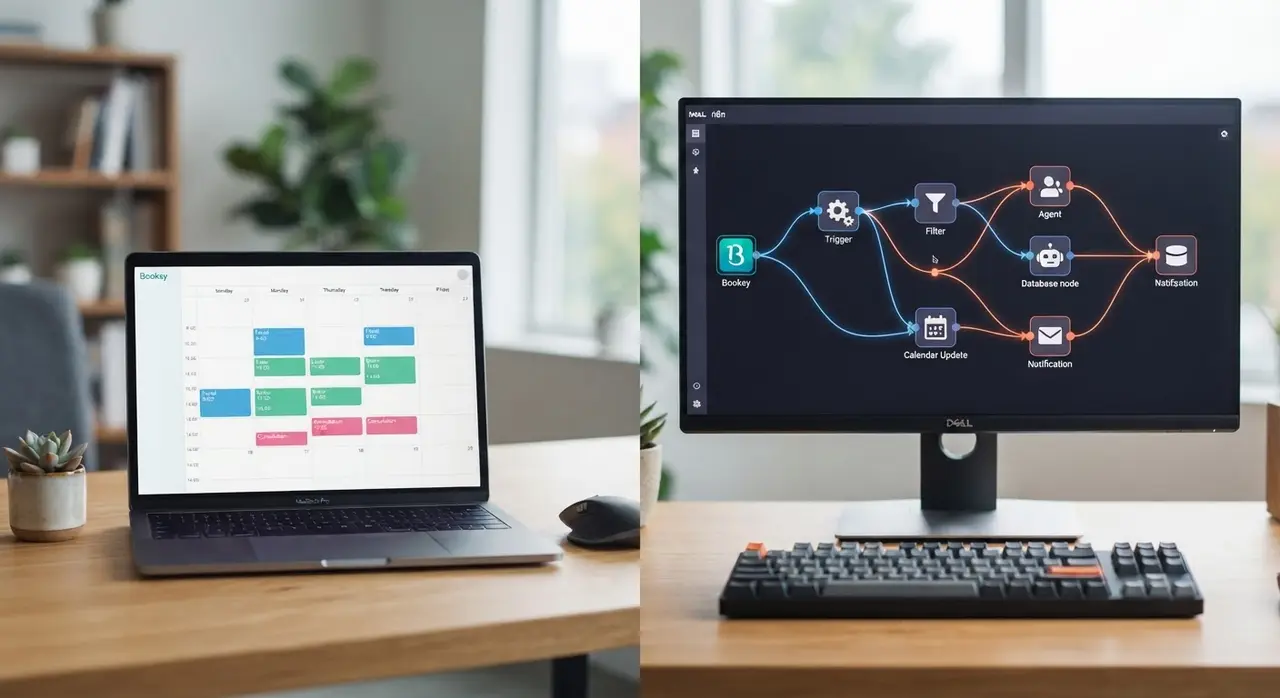
This automated loop happens in milliseconds. By structuring your n8n workflow logically, you ensure that every time a patient asks for an appointment, the AI checks the absolute latest version of your calendar.
Automating the First Contact on WhatsApp
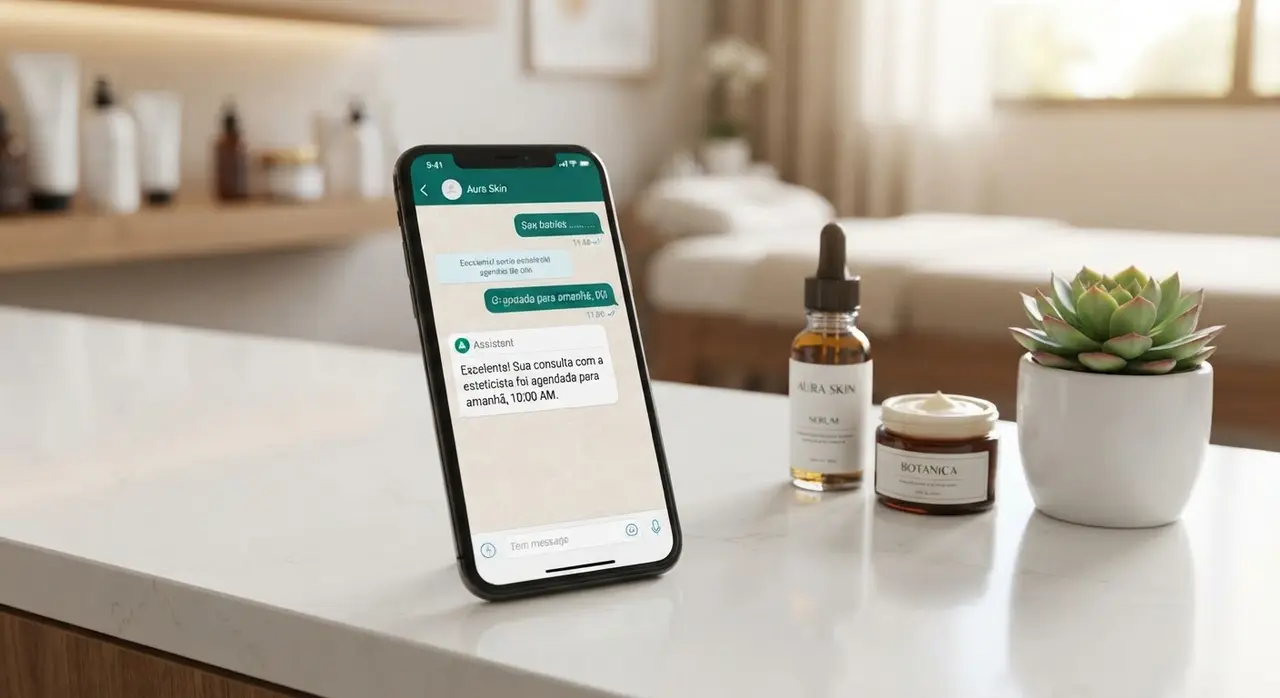
Automating the first contact ensures every inquiry gets an immediate, accurate response, which is the most critical touchpoint in patient acquisition. When a potential client messages your clinic, the AI agent instantly greets them, answers basic questions about your services, and offers available times. This immediate response prevents hot leads from going to competitors while waiting for a human receptionist to reply.
This seamless primeiro atendimento (initial service) completely transforms the patient experience. Using IAChatbot's infrastructure, the AI maintains a warm, human-like tone while strictly following your clinic's specific booking rules. You can explore more use cases of AI in customer service to see how conversational flows adapt to different clinic needs.
Handling Cancellations and Rescheduling Dynamically
A smart scheduling agent manages cancellations and rescheduling dynamically by updating the Booksy calendar in real-time and freeing up slots for other patients immediately. If a client needs to change their appointment, they simply tell the AI on WhatsApp. The agent uses n8n to locate the existing booking, cancel it, and instantly offer new dates.
Because the AI communicates directly with the Booksy API, the canceled slot instantly appears as available online for other users. The system temporarily locks the new slot for the user during the conversation to prevent double bookings. Once confirmed, patients receive a new digital calendar invite automatically, drastically reducing the manual administrative load.
Real-World Impact: Aesthetics Clinic Mini-Case
Implementing a smart agent directly impacts clinic revenue by capturing after-hours bookings and significantly reducing no-shows. A mid-sized aesthetics clinic struggled with front desk overload, frequently missing dozens of weekend booking requests. Their staff spent hours every Monday simply returning calls and messages, often finding that clients had already booked elsewhere.
By deploying IAChatbot integrated with their Booksy account via n8n, they completely automated their scheduling process. The AI handled 100% of the initial inquiries, resulting in a 35% increase in completed bookings and freeing the receptionist to focus entirely on in-clinic patient care. This perfectly illustrates the power of a modern AI automation stack for aesthetics clinics.
Comparing Manual vs. AI-Driven Scheduling
Relying on human staff for calendar management creates bottlenecks, whereas AI-driven scheduling offers infinite scalability and zero wait times. Below is a breakdown of how the two approaches compare in a busy clinic environment.
| Scheduling Process | Manual Front Desk | AI Scheduling Agent |
|---|---|---|
| Response Time | 15 to 60 minutes | Instant (under 2 seconds) |
| Availability | Business hours only | 24/7/365 |
| Double Booking Risk | Moderate (human error) | Zero (real-time API sync) |
| Rescheduling Effort | Requires back-and-forth calls | Automated via WhatsApp chat |
Frequently asked questions
Can I connect Booksy to WhatsApp without coding?
Yes, you can connect Booksy to WhatsApp without writing complex code by using visual automation platforms like n8n. These tools use drag-and-drop nodes to link the Booksy API to your AI agent. However, configuring the data flow and handling API limits correctly requires a solid understanding of how webhooks and HTTP requests function.
Does the AI agent understand voice messages for booking?
Modern AI agents can transcribe and understand voice messages sent via WhatsApp before processing the booking request. Once the audio is transcribed, the agent extracts the requested date and service, checks Booksy for availability, and replies with text options. This provides a highly accessible and convenient experience for patients who prefer speaking over typing.
What happens if two patients try to book the same slot simultaneously?
The system prevents double booking by temporarily locking the time slot in Booksy the moment a patient selects it during the chat. If another user requests the same time before the first booking is finalized, the AI agent will instantly offer the next closest available time. This real-time synchronization ensures your clinic's calendar remains perfectly accurate at all times.