
How to Distribute WhatsApp Conversations to Sales Reps in CRM
Learn how to route WhatsApp conversations to sales reps using CRM rules. Boost response times, eliminate lead conflicts, and balance team workload effectively.
- WhatsApp CRM Integration
- Lead Distribution Methods
- WhatsApp Business API
- Sales Automation
- Round Robin Routing

Distributing WhatsApp conversations among sales reps in a CRM requires automated routing logic based on round-robin, queue-based, or territory-driven rules connected to the official WhatsApp Business API. Implementing automated assignment eliminates duplicate agent messages, accelerates response times, and ensures balanced lead allocation across your commercial team.
When a business scales beyond a single smartphone, managing incoming messages manually creates immediate bottlenecks. Leads get dropped, reps collide over hot prospects, and response times plummet—directly harming your conversion rates.
Manual WhatsApp management inevitably creates sales friction
Manual message management on a single mobile device or standard web browser leads to customer friction and lost revenue. Without systemic routing, sales representatives often reply to the same prospect simultaneously or ignore leads assuming someone else handled them.
Using basic free tools like standard whatsapp business no computador (WhatsApp Business on computer) limits your team to standard multi-device logins without central distribution control. This setup lacks visibility into agent performance, conversation ownership, or deal stage updates.
- Overlapping responses: Two reps inadvertently pitch different offers to the exact same lead.
- Unbalanced workloads: Highly active reps grab all incoming chats while others remain underutilized.
- Delayed first touch: Prospects wait hours for an initial reply because no single person is explicitly responsible.
Core models for distributing WhatsApp chats in a CRM
Selecting the right conversation distribution model depends directly on your team structure, deal complexity, and average chat volume. Automated CRM routing ensures every incoming contact immediately lands in the inbox of the correct account executive or support specialist.
1. Round Robin Distribution
Round Robin distribution assigns incoming WhatsApp contacts sequentially to active team members in a strict circular order. This method guarantees equal opportunity across your entire team and keeps lead distribution completely unbiased.
2. Queue-Based Assignment
Queue-based assignment places incoming chats into an open pool where qualified agents claim available conversations as their capacity permits. This strategy works exceptionally well for high-volume inbound inquiries and transactional sales environments.
3. Region or Product-Based Routing
Territorial routing directs prospects to specialized reps based on demographic data, geographical region, or expressed product preferences collected during initial chatbot triage. Assigning leads by domain expertise significantly increases close rates for complex enterprise offers.
4. Capacity and Performance Distribution
Smart capacity routing assigns chats based on an agent's current active chat volume and past conversion performance. Reps at maximum capacity receive no new conversations until they resolve existing customer conversations.
| Distribution Model | Best Suited For | Average Response Speed | Primary Operational Advantage |
|---|---|---|---|
| Round Robin | General sales teams & SDRs | Ultra-fast (< 2 mins) | Completely equal workload distribution |
| Queue-Based | High-volume inbound support | Fast (< 5 mins) | Prevents agent overload during traffic spikes |
| Territory / Product | Enterprise B2B & specialized retail | Moderate (< 15 mins) | Higher conversion due to agent expertise |
| Capacity-Based | Tiered support & blended teams | Balanced (< 5 mins) | Prevents agent burnout and drops |
How to set up automated routing using official WhatsApp tools
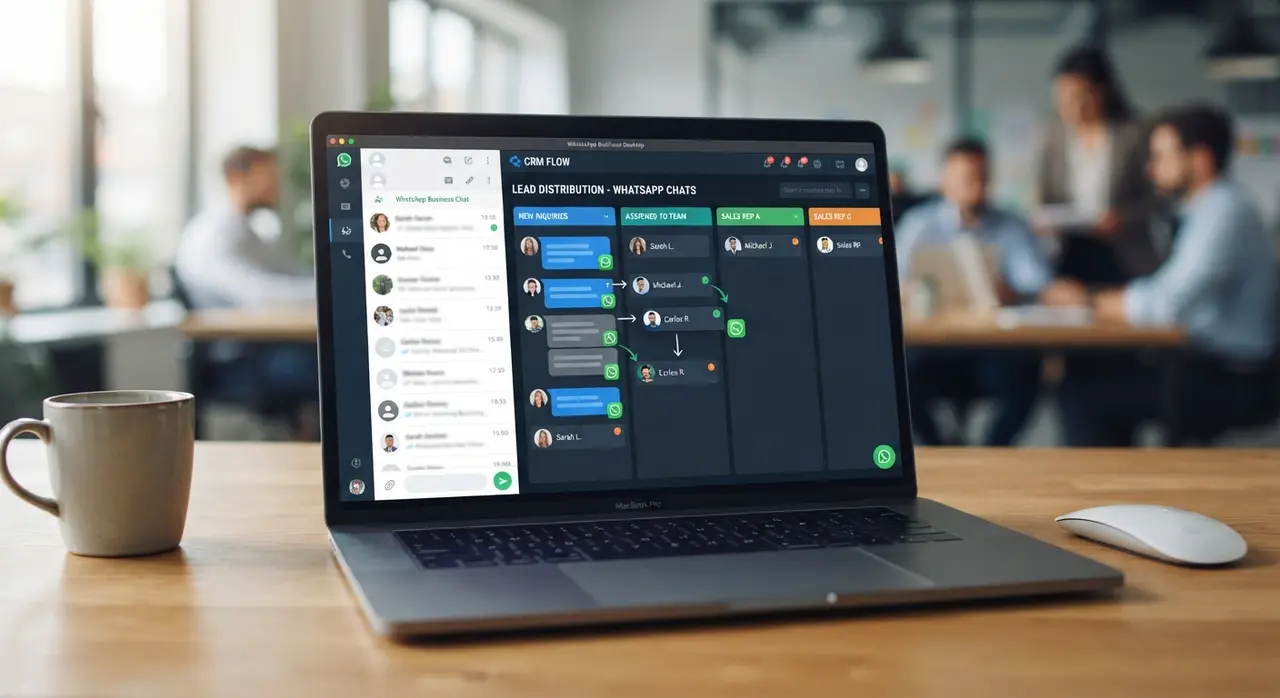
Configuring automated routing requires transitioning your messaging infrastructure to a official enterprise solution. Upgrading to a professional whatsapp business pago (paid WhatsApp Business API platform) unlocks full multi-agent permissions, API webhooks, and deep CRM synchronization.
Follow these four actionable steps to establish seamless chat distribution across your commercial pipeline:
- Connect your WhatsApp API to your CRM: Integrate your official WhatsApp Business API number directly into CRM tools through verified channels or official CRM integrations like Kommo.
- Define qualification criteria: Implement a front-end AI chatbot to gather basic contact details, intent, and location before handing off the conversation.
- Configure workflow rules: Establish automated triggers that assign contacts based on rep availability, active hours, or specific lead scoring metrics.
- Set fallback protocols: Define automatic reassignment rules if an assigned agent fails to respond within a designated timeframe (e.g., 10 minutes).
Enhancing customer retention through structured post-sales WhatsApp routing
Smart conversation assignment is just as vital after the initial transaction as it is during the sales pitch. Organizing your pos venda whatsapp (post-sales WhatsApp operations) through specialized customer success queues drastically improves client retention and lifetime value.
When existing customers message your business number, automated workflows bypass generic sales queues entirely. The CRM identifies the contact record and routes the message directly to their dedicated account manager or post-sale technical support group.
- Instant context retrieval: Account reps view full purchase history directly inside their desktop CRM sidebar.
- Automated ticketing: Complex post-sale requests instantly generate trackable support tickets within the system.
- Proactive check-ins: Automated workflows trigger periodic post-purchase satisfaction surveys directly via chat.
Case Study: Scaling commercial response times with IAChatbot
A rapidly growing medical equipment distributor struggled with severe chat management issues across six sales executives. Incoming leads were manually shared on a web interface, causing an average initial response delay of 45 minutes and frequent duplicate agent outreach.
By partnering with IAChatbot, the company deployed an intelligent WhatsApp API triage flow integrated directly with their central CRM. The system triage qualified prospects instantly and distributed them via Round Robin assignment to active representatives working on desktop computers.
Within 30 days of implementation, average initial response times dropped from 45 minutes to just 12 seconds. Lead collision was completely eliminated, post-sale ticket resolution speed increased by 40%, and overall monthly conversion rates surged by 28%.

Centralizing team management on desktop interfaces
Managing high-volume corporate communication requires a robust desktop environment tailored for multi-agent oversight. Utilizing dedicated CRM interfaces for whatsapp business no computador provides managers with real-time transparency over active conversations and individual agent response speeds.
Supervisors gain direct access to live dashboards where they can monitor ongoing interactions, jump into active chats to assist junior reps, or reassign stalled conversations with a single click. Discover diverse practical applications on our page featuring real-world use cases.
Key performance metrics to track after implementing WhatsApp distribution
Tracking clear operational metrics ensures your automated assignment rules continuously deliver optimal commercial results. Reviewing these analytics weekly allows you to adjust team capacity and refine pre-qualification chatbot logic.
- First Response Time (FRT): The time elapsed between a prospect's initial message and an agent's personalized reply.
- Average Resolution Time: How quickly sales or support reps address the inquiry and close the chat session.
- Lead Drop Rate: The percentage of inbound inquiries abandoned due to unassigned or delayed responses.
- Agent Utilization Rate: The distribution balance of active chats across all logged-in representatives.
By connecting custom AI chatbot solutions directly to your business pipeline, you build a fully scalable, transparent sales engine capable of handling thousands of conversations daily without compromising service quality.
Frequently asked questions
How does Round Robin routing work on WhatsApp?
Round Robin routing distributes incoming WhatsApp messages sequentially among available agents connected to a central CRM. When a new prospect initiates a chat, the system automatically checks who is active and assigns the lead to the next rep in the rotation, ensuring equal workload distribution.
Can I restrict WhatsApp lead distribution based on business hours?
Yes, modern CRM routing workflows allow you to set strict business hours for lead distribution. Outside of working hours, incoming messages can be handled by an AI chatbot or queued automatically for the next available shift without unassigned leads piling up.
What is the difference between standard WhatsApp Web and official WhatsApp Business API for team routing?
Standard WhatsApp Web limits concurrent desktop logins and offers no automated lead routing or official CRM distribution. The official paid WhatsApp Business API enables unlimited multi-agent access, advanced workflow automation, robust analytics, and complete CRM integration.
How do I prevent two sales reps from messaging the same WhatsApp lead?
Implementing CRM-based automated distribution locks each incoming WhatsApp contact to a single designated agent upon assignment. Other team members can view the conversation history if granted permissions, but only the assigned owner can send outbound responses, entirely preventing rep collisions.