
Automating WhatsApp Business: A Complete Guide
Learn how to automate WhatsApp Business customer service using smart service menus, automated workflows, and AI engines like Dify to scale sales 24/7.
- WhatsApp Business
- Customer Service
- WhatsApp Automation
- AI Chatbot
- Dify WhatsApp

Automating WhatsApp Business customer service requires setting up structured triage menus, instant greeting flows, and AI-driven conversational rules that respond to customer inquiries 24/7. Implementing a structured menu de atendimento whatsapp combined with an intelligent fluxo de automação whatsapp enables businesses to capture leads instantly, resolve FAQs, and streamline operations without bloating team headcount.
When companies scale their messaging operations, relying on manual replies creates severe bottlenecks. Missed messages, long wait times, and overwhelmed support teams directly impact revenue and customer loyalty. By combining intelligent workflow logic with modern AI orchestrators like a dify whatsapp integration, organizations can deliver immediate, high-quality responses at any hour.
The 5 Essential Stages of an Automated WhatsApp Service Flow
A complete fluxo de automação whatsapp relies on five sequential stages to guide leads from initial contact to resolution. Designing each step with clarity ensures high satisfaction and minimizes user drop-off.
- Greeting and Instant Triage: Captures incoming messages within seconds, acknowledging the user's intent immediately.
- Interactive Service Menu: Presents clear options so users can self-select their specific inquiry path.
- Automated Knowledge Resolution: Answers standard questions regarding business hours, pricing, order status, or services.
- Data Collection: Gathers essential details such as name, email, account number, or request descriptions before human involvement.
- Human Escalation: Hands off high-value sales or complex support cases to a live agent seamlessly.
By defining these boundaries clearly, your automated flow filters out repetitive inquiries while ensuring critical conversations reach the right team member instantly. To explore tailored solutions for your industry, check out the specialized AI solutions by IAChatbot.
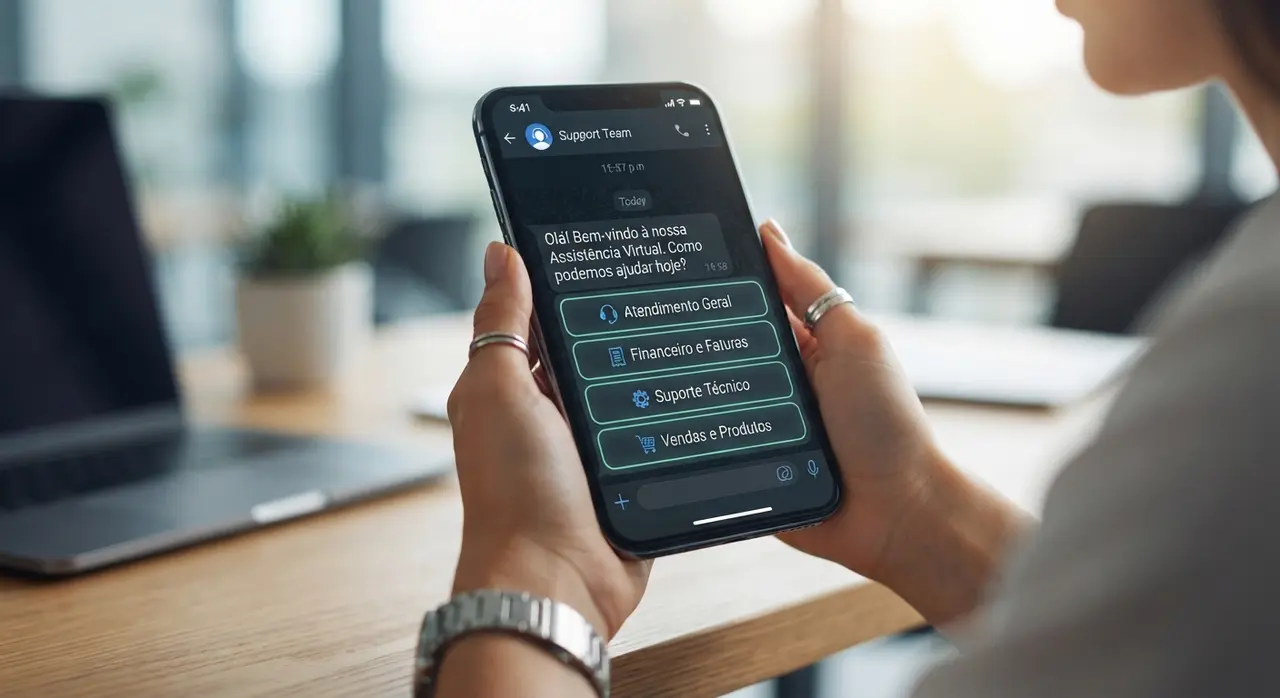
Designing an Interactive WhatsApp Service Menu
An effective menu de atendimento whatsapp guides users through intuitive choices without overwhelming them with text wall options. Utilizing native interactive components like clickable buttons and list menus improves customer completion rates significantly.
Avoid presenting giant blocks of numbered options. Instead, categorize your choices into three to five primary paths, such as Sales, Customer Support, Billing, or Schedule an Appointment.
- Keep choices concise: Limit main menu items to maximum 5 options.
- Use action-oriented button text: Phrases like 'Track Order' or 'Speak to Sales' perform better than generic terms like 'Option 1'.
- Provide an exit route: Always allow users to return to the main menu or request human help.
When customers interact with clear, modern UI components inside WhatsApp, their path to resolution becomes frictionless, reducing drop-out rates across sales and support funnels.
Native WhatsApp Tools vs. Advanced AI Integration
Choosing between basic native features and advanced AI tools depends on your conversation volume and operational complexity. While native options handle simple messaging, advanced setups provide contextual understanding and system integrations.
| Capability | Native WhatsApp Business App | Cloud API + Dify & IAChatbot |
|---|---|---|
| Greeting & Away Messages | Basic static text | Dynamic, time-aware personalized replies |
| Service Menu Options | Static quick replies | Interactive buttons, dynamic lists & AI routing |
| AI & Natural Language Processing | None | Full LLM integration via dify whatsapp logic |
| CRM & ERP Integration | Manual / None | Real-time bi-directional database sync |
| Multi-Agent Support | Up to 4-10 devices | Unlimited agents with advanced queue management |
Connecting advanced open-source AI orchestrators like dify whatsapp workflows to your conversational systems allows your bot to read documents, query databases, and answer complex questions dynamically. You can review several real-world use cases to see how conversational AI handles nuanced customer queries without manual script updates.
Human-in-the-Loop: Balancing AI Efficiency with Human Empathy
Maintaining a hybrid approach ensures complex negotiations and sensitive complaints are handled by humans while AI manages routine tasks. Automation should empower human support staff rather than replace them entirely.
When an incoming lead asks a high-intent commercial question or expresses frustration, the bot must collect preliminary context and notify an available specialist immediately. Passing the complete chat history ensures the customer never has to repeat themselves.
- Define clear triggers: Sentiments like anger, specific billing requests, or enterprise sales signals should trigger escalation.
- Maintain a natural tone: Be transparent that the user is interacting with an AI assistant during initial triage.
- Ensure agent context: Provide live agents with key data summaries gathered during the automated flow.
This balance maintains operational efficiency while protecting customer trust and satisfaction across every interaction. Discover how your business can unlock the benefits of AI automation across your entire support ecosystem.
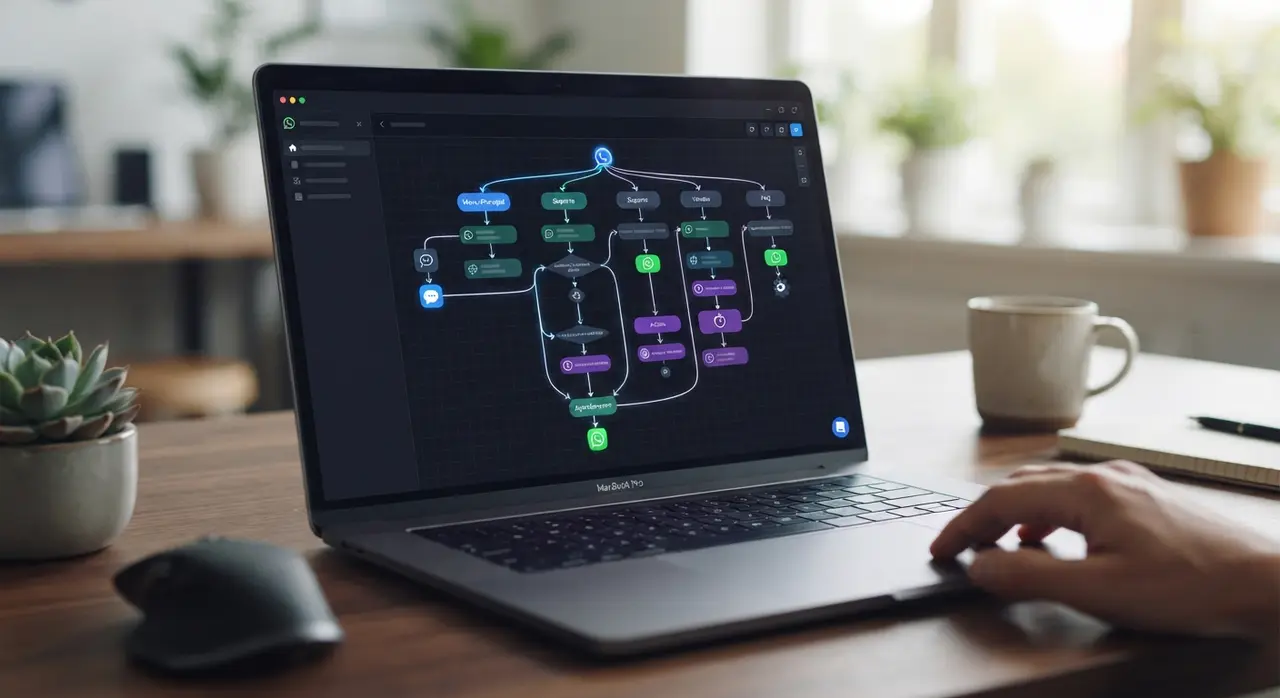
Case Study: Scaling Commercial Service with IAChatbot
A regional B2B distributor faced severe message bottlenecks on WhatsApp, leading to average response delays of over four hours during peak business schedules. They implemented a custom fluxo de automação whatsapp engineered by IAChatbot to streamline lead qualification and order status checking.
By deploying an intelligent triage menu coupled with real-time ERP data querying, the company automated over 68% of inbound customer questions instantly. Response times dropped from hours to under 20 seconds, while high-value sales leads were routed directly to sales representatives with pre-qualified customer data attached.
Frequently asked questions
What is the difference between WhatsApp Business App and WhatsApp API?
The WhatsApp Business App is a free application designed for small businesses with limited chat volume and basic auto-responders. The WhatsApp Business API is built for growing companies, allowing integration with AI platforms, CRMs, multi-agent inbox systems, and automated custom workflows.
How long does it take to implement WhatsApp service automation?
Basic rule-based service menus can be configured within a few hours using flow builders. Advanced AI workflows integrated with CRMs or tools like Dify typically take between 3 to 10 days depending on custom integrations and testing requirements.
Can an automated WhatsApp bot transfer conversations to a live human agent?
Yes, modern automation workflows include conditional triggers that automatically hand off conversations to human team members. The agent receives the entire conversation history along with collected lead data to continue the support seamlessly.
Is it allowed by WhatsApp policies to send automated messages?
Yes, WhatsApp explicitly permits customer service automation and transactional messaging through the WhatsApp Business API, provided businesses comply with opt-in policies and commerce guidelines.