
HubSpot WhatsApp: How to Never Lose a Lead
Stop losing sales to unanswered WhatsApp messages. Discover how to use HubSpot WhatsApp and the best CRM strategies to automate follow-ups and capture leads.
- WhatsApp CRM
- HubSpot Integration
- Lead Management
- Sales Automation
- Customer Service

The Silent Leak: Why Your WhatsApp Leads Are Vanishing
Imagine this scenario: a potential client messages your business on WhatsApp on a busy Friday afternoon. Your sales rep reads the message, intends to reply after finishing a call, and then... forgets. By Monday, that lead has already closed a deal with your competitor. This is the reality for thousands of businesses that rely solely on native apps for customer communication.
When you use standard messaging without a proper system, leads slip through the cracks. The "read and forgot" syndrome is a silent revenue killer. Messages get buried, follow-ups are abandoned, and there is zero visibility for managers. To stop this leak, integrating a robust system like hubspot whatsapp is no longer a luxury; it is a fundamental requirement for survival.
Relying on human memory to manage dozens or hundreds of daily conversations is a mathematical recipe for failure. You need a system that captures every single interaction, sets clear deadlines for responses, and alerts your team before a prospect grows cold.
How a CRM Transforms Your WhatsApp Strategy
A Customer Relationship Management (CRM) system acts as the central brain of your operations. When a business searches for the melhor crm para whatsapp (the best CRM for WhatsApp), they are usually looking for one core benefit: predictability. They want to know that every "Hi, I'd like a quote" turns into a tracked, manageable opportunity.
With a CRM integrated into your messaging app, the dynamic changes entirely. The moment a lead sends a message, a contact profile is automatically created. There is no manual data entry required. The conversation history is logged, and the lead is instantly placed into a visual sales pipeline.
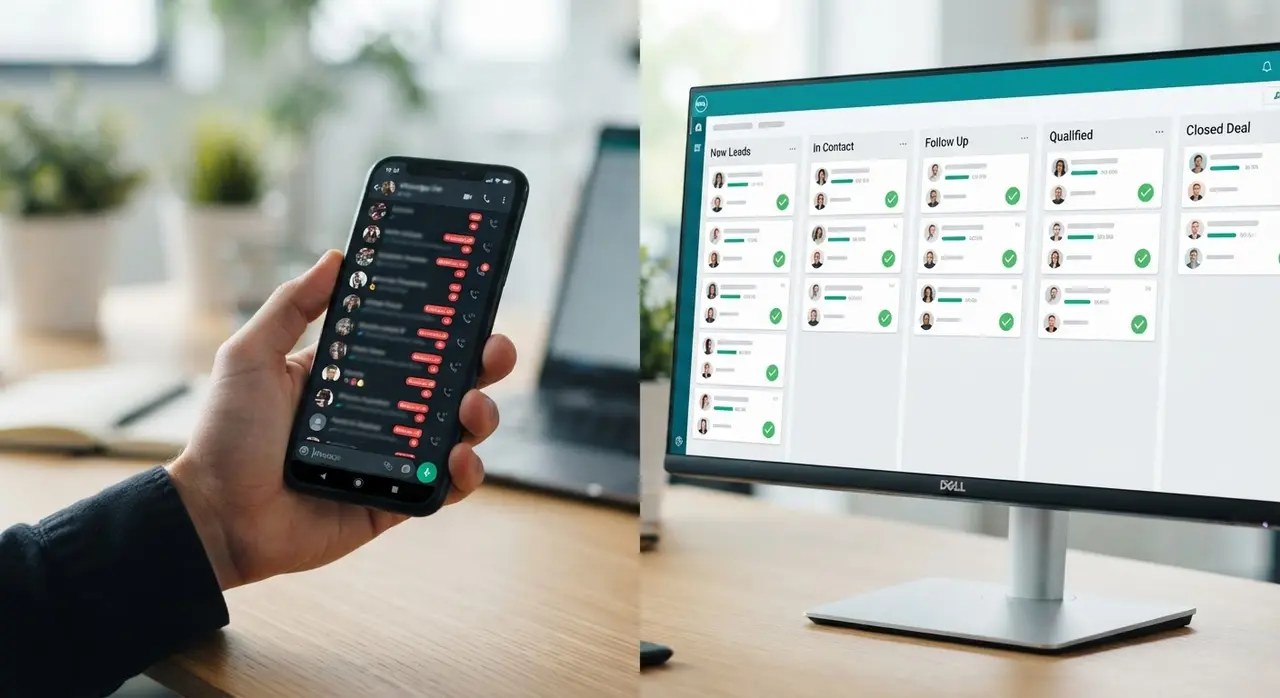
More importantly, a CRM removes the chaos. It allows your entire team to collaborate from a single, unified inbox. If a representative goes on vacation, another can pick up the conversation exactly where it left off, with full context. This level of professionalization is what separates high-growth companies from stagnant ones.
Step-by-Step: Setting Up a Bulletproof WhatsApp CRM
To ensure no contact is left untreated, you need more than just software; you need a process. Building an efficient crm atendimento whatsapp (WhatsApp customer service CRM) workflow requires strategic planning. Here is the exact step-by-step guide to bulletproof your lead management.
1. Centralize Your Communications
The first step is to move your team away from individual, disconnected mobile devices. Connect your WhatsApp Business API to your CRM platform. This creates a single source of truth. Every message, voice note, and document sent or received is securely stored in the cloud.
By centralizing communications, managers gain real-time oversight. You can monitor response times, audit conversations for quality assurance, and step in to help close complex deals without asking the representative to forward screenshots.
2. Automate the Initial Capture
Speed is everything in digital sales. If a lead waits more than five minutes for a reply, their chances of converting drop significantly. You cannot have humans available 24/7, but your system can. By integrating AI solutions, you can ensure instant, intelligent responses at any hour.
Set up an automated greeting that acknowledges the message, asks qualifying questions (like their name, company size, or specific need), and tags the contact in your CRM. This means your sales team wakes up to a pipeline full of pre-qualified leads, rather than a messy inbox of "hellos".
3. Define Strict SLAs (Service Level Agreements)
An SLA is a promise of performance. In the context of WhatsApp, it means defining exactly how long a lead can sit in a specific stage without an interaction. For example, you might set a rule: "Every new lead must receive a human response within 15 minutes during business hours."
Your CRM enforces this. If 10 minutes pass without a reply, the system color-codes the lead yellow. At 14 minutes, it flashes red. At 16 minutes, it automatically sends a notification to the sales manager. This escalation protocol guarantees that negligence becomes impossible.
4. Master the Automated Follow-Up
Most sales require at least five follow-ups to close, yet most representatives give up after two. This is where automation shines. If a lead requests a proposal and goes silent, your CRM should take over.

You can build workflows that trigger a gentle, automated WhatsApp message two days after the proposal was sent: "Hi [Name], did you have a chance to review the proposal? Let me know if you have any questions!" This is highly effective not just for initial contact, but also for post-sales automation, ensuring long-term customer retention.
Manual WhatsApp vs. CRM-Integrated WhatsApp
To truly understand the impact, let us compare the traditional way of handling messages with a modern, CRM-backed approach. The differences in efficiency and revenue potential are staggering.
| Feature | Manual WhatsApp Business | CRM-Integrated WhatsApp |
|---|---|---|
| Lead Capture | Manual contact saving (often ignored) | 100% automated profile creation |
| Response Time | Depends on human availability | Instant via AI agents and chatbots |
| Follow-ups | Rely on memory or messy spreadsheets | Automated sequences and reminders |
| Manager Oversight | Zero visibility without taking the phone | Real-time dashboards and analytics |
| Scalability | Breaks down after 50+ daily messages | Handles thousands of chats effortlessly |
As the table shows, trying to scale a business using only the native app is a bottleneck. To truly unlock growth, integrating with tools like Kommo, HubSpot, or ManyChat—which are among our official partners—is the logical next step for ambitious companies.
Real-World Application: The Mini-Case
Consider a mid-sized real estate agency. They were spending thousands on Facebook Ads, driving traffic to a WhatsApp number. The phone was ringing constantly, but conversions were low. The problem? Agents were overwhelmed, prioritizing only the leads that seemed "ready to buy" immediately, and ignoring the rest.
After implementing a CRM integration, the game changed. An AI agent instantly greeted every new lead, asked for their budget and preferred neighborhood, and logged this data. Leads were automatically assigned to agents based on their expertise. If an agent didn't reply in 20 minutes, the manager was alerted. Furthermore, leads who weren't ready to buy were put into a 6-month automated nurturing sequence via WhatsApp.
The result? A 40% increase in closed deals within three months, without increasing the marketing budget. They simply stopped losing the leads they were already paying for.
Conclusion
Losing leads on WhatsApp is an expensive problem, but it is completely solvable. The transition from a chaotic inbox to a streamlined, automated pipeline is the most profitable move a business can make. By leveraging tools like HubSpot WhatsApp integrations, defining strict SLAs, and automating follow-ups, you create a safety net for your sales process.
Remember, your competitors are likely still relying on manual memory and sticky notes. By adopting a CRM-first approach to messaging, you not only capture every opportunity but also deliver a faster, more professional customer experience. Stop letting your marketing budget go to waste. Centralize, automate, and close more deals.
Frequently Asked Questions
What is the benefit of integrating HubSpot with WhatsApp?
Integrating HubSpot with WhatsApp allows you to centralize all customer communications in one place. It automates lead capture, logs chat histories directly into the contact's timeline, and enables automated follow-up workflows, ensuring no message goes unanswered and sales pipelines remain updated automatically.
How does a CRM prevent me from forgetting to reply to a lead?
A CRM uses Service Level Agreements (SLAs) and automated alerts. If a lead sends a message and no one from your team replies within a pre-defined timeframe (e.g., 15 minutes), the CRM will trigger visual warnings, push notifications, and even escalate the issue to a manager, making it impossible to "forget" a contact.
Can I send automated follow-ups through WhatsApp using a CRM?
Yes. Modern CRMs allow you to build automated sequences. If a lead is moved to a "Proposal Sent" stage, the system can automatically wait 48 hours and send a personalized WhatsApp message asking if they have any questions, drastically increasing conversion rates without manual effort.
Do I need technical skills to set up a WhatsApp CRM?
While basic integrations are user-friendly, setting up complex AI agents, SLA rules, and multi-step automated workflows can be challenging. Partnering with specialized automation agencies ensures your system is configured correctly for maximum conversion, saving you time and technical headaches.