
Humanized WhatsApp Automation: The Complete 2026 Guide
Learn how to automate WhatsApp Business without losing empathy. Combine AI chatbots, warm greetings, direct links, and smooth human handoffs.
- WhatsApp Business
- Humanized Automation
- AI Chatbots
- Customer Experience
- Sales Automation

Humanized WhatsApp automation combines intelligent AI chatbots for repetitive customer inquiries with immediate human escalation for complex, relationship-driven interactions. By balancing instant automated responses with empathetic voice tone and dynamic contextual handoffs, companies achieve operational efficiency without alienating their audience.
Today's customers expect instant answers around the clock. However, nobody enjoys chatting with a rigid, cold computer program that fails to understand simple requests. The secret to modern messaging success is not choosing between robots or people, but harmonizing both into a single customer experience.
The Core Formula: Bot for Routine, Human for Relationship
Effective messaging strategies assign repetitive data collection to AI agents while preserving high-empathy sales and support for human team members. When routine tasks like business hours, tracking updates, and scheduling are automated, your human staff gains the bandwidth required to build real connections.
To build a balanced system, categorize your incoming messages into two main categories:
- Transactional and Routine Queries: FAQ resolution, appointment confirmations, pricing sheets, and lead qualification.
- High-Value and Emotional Queries: Complex negotiations, custom quotes, delicate customer service complaints, and specialized consulting.
By defining these boundaries, you ensure that customers get 24/7 instant gratification for simple needs while seamlessly reaching a live expert when empathy matters most. Exploring the benefits of AI-driven support helps businesses identify exactly which workflows to automate first.
Designing Warm and Natural Chatbot Conversations
Conversational workflows remain personal when chatbots utilize the customer's name, adapt to context, and maintain a friendly conversational cadence. A humanized bot never pretends to be a person, but it always speaks with warmth, clarity, and respect.
Here are actionable rules for drafting conversational bot prompts:
- Use Dynamic Customer Data: Always address returning customers by name and refer to their previous interaction context when available.
- Keep Message Bubbles Short: Avoid sending walls of text. Break responses into short, digestible messages that mimic natural typing patterns.
- Adopt a Friendly, Professional Tone: Use clear language, occasional emojis, and natural sentence structures instead of robotic commands.
- Ditch Rigid Numeric Menus: Modern conversational AI allows users to type naturally instead of forcing them to press 1 for Sales or press 2 for Support.
When customers feel understood from their very first message, trust builds instantly—setting the stage for higher conversion rates across every channel.

Technical Setup: Links, Workarounds, and Infrastructure
Structuring professional WhatsApp infrastructure requires centralized multi-agent software rather than unstable workarounds on single mobile devices. Many growing companies start by asking how WhatsApp Business works in practice when managing high lead volume across multiple team members.
In the beginning, small business owners often search for solutions like running dual accounts on one phone (known in Portuguese as dois whatsapp no mesmo celular) or generating custom link triggers (como criar link whatsapp) to drive traffic. While direct messaging links are essential for marketing campaigns, relying on single-phone hacks creates severe operational bottlenecks.
| Feature / Capability | Basic Smartphone Workarounds | Enterprise WhatsApp API + AI Platform |
|---|---|---|
| Simultaneous Users | Limited to 1-4 linked web devices | Unlimited agents on a unified dashboard |
| AI Automation Depth | Basic keyword auto-replies | Advanced conversational AI & CRM integration |
| Contextual Handoff | Manual forwarding between phones | Automatic routing with full chat history |
| Lead Tracking & Analytics | None (Manual tagging) | Real-time metrics on response time & sales |
To scale customer support gracefully, transitioning from basic mobile apps to official API automation ensures that every incoming inquiry is tracked, organized, and handled by either the right AI workflow or live agent.
Mastering the Seamless Human Handoff
A successful human handoff transfers the complete conversation history to a live agent so the customer never has to repeat their request. Frustration happens when an automated bot gets stuck in a loop or drops a user into an unmonitored queue without context.
Implement these automated triggers for immediate agent takeover:
- Sentiment Detection: If the AI detects words indicating frustration or dissatisfaction, it flags the ticket for priority human review.
- High Purchase Intent: When a prospective client asks for custom pricing or requests a contract, the bot routes the chat directly to an account executive.
- Explicit Handoff Requests: Always give users a simple way to say speak to a human at any point during the conversation.
When the human agent steps into the chat, they should open with context: Hi Sarah! I reviewed your notes with our automated assistant. I see you need custom pricing for your clinic—let us get that sorted right now. Reviewing real-world application examples demonstrates how top-performing brands configure these precise escalation rules.
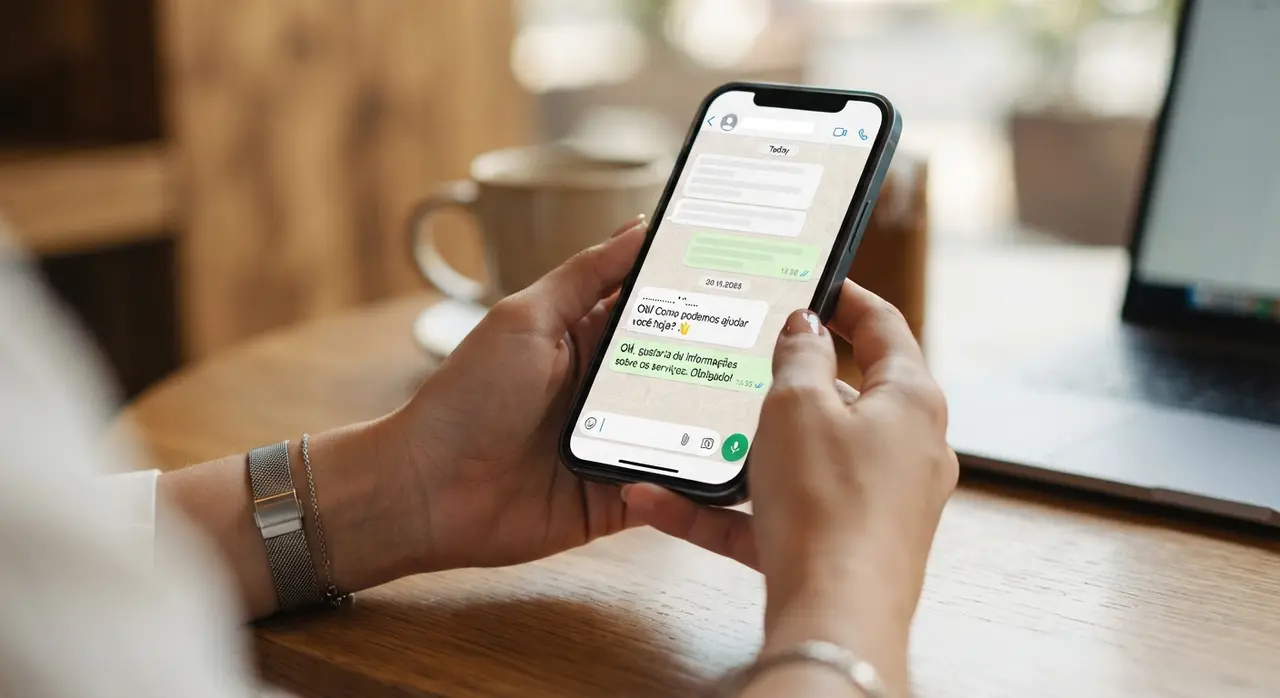
Case Study: Scaling Support Without Losing Empathy
A regional healthcare clinic network transformed its patient support by deploying IAChatbot's contextual AI workflows, cutting response times from hours to under ten seconds while raising customer satisfaction scores by 35%.
Before implementing smart automation, reception staff was overwhelmed by repetitive WhatsApp messages asking for clinic addresses, appointment preparation steps, and basic service costs. High volume caused delays, leading to missed appointments and frustrated patients.
By implementing IAChatbot, the clinic structured a automated workflow that:
- Instantly greeted patients by name and answered standard preparation questions 24/7.
- Automatically qualified patient requests before routing complex medical scheduling to live human receptionists.
- Transferred exact booking details to the live team, allowing agents to finalize reservations in seconds.
The qualitative result was immediate: patients praised the fast, friendly service, while clinic staff reduced daily phone stress and focused entirely on providing warm, in-person care.
Frequently asked questions
How can I automate WhatsApp without sounding like a robot?
To keep messaging natural, use warm greetings, insert variable tags like the customer's name, and keep message bubbles short. Avoid rigid numbered menus whenever possible, allowing conversational AI to process open-ended language and respond in a friendly tone.
How does human handoff work during an automated conversation?
When an AI agent detects a complex query, emotional frustration, or a high-intent sales request, it immediately alerts a human team member. The live agent receives the full transcript, allowing them to step in seamlessly without asking the customer to re-explain their problem.
Can multiple agents manage one WhatsApp Business account simultaneously?
Yes, by upgrading from basic mobile apps to the official WhatsApp Business API, multiple team members can log into a unified inbox at the same time. This eliminates the operational risks of using manual workarounds like sharing single handsets or running multiple app clones.
How do direct WhatsApp links improve automated lead capture?
Custom WhatsApp links allow businesses to embed pre-filled starting messages into ad campaigns, social profiles, and email footers. When clicked, the prospective client initiates the chat automatically, allowing your AI chatbot to instantly capture lead information and start a dynamic conversation.