
No-Code WhatsApp Business Automation
Learn how to implement WhatsApp Business automation without coding. Discover visual platforms, n8n workflows, and AI tools to automate WhatsApp responses.
- WhatsApp Business automation
- automate WhatsApp responses
- no-code chatbot
- n8n integration
- AI customer service
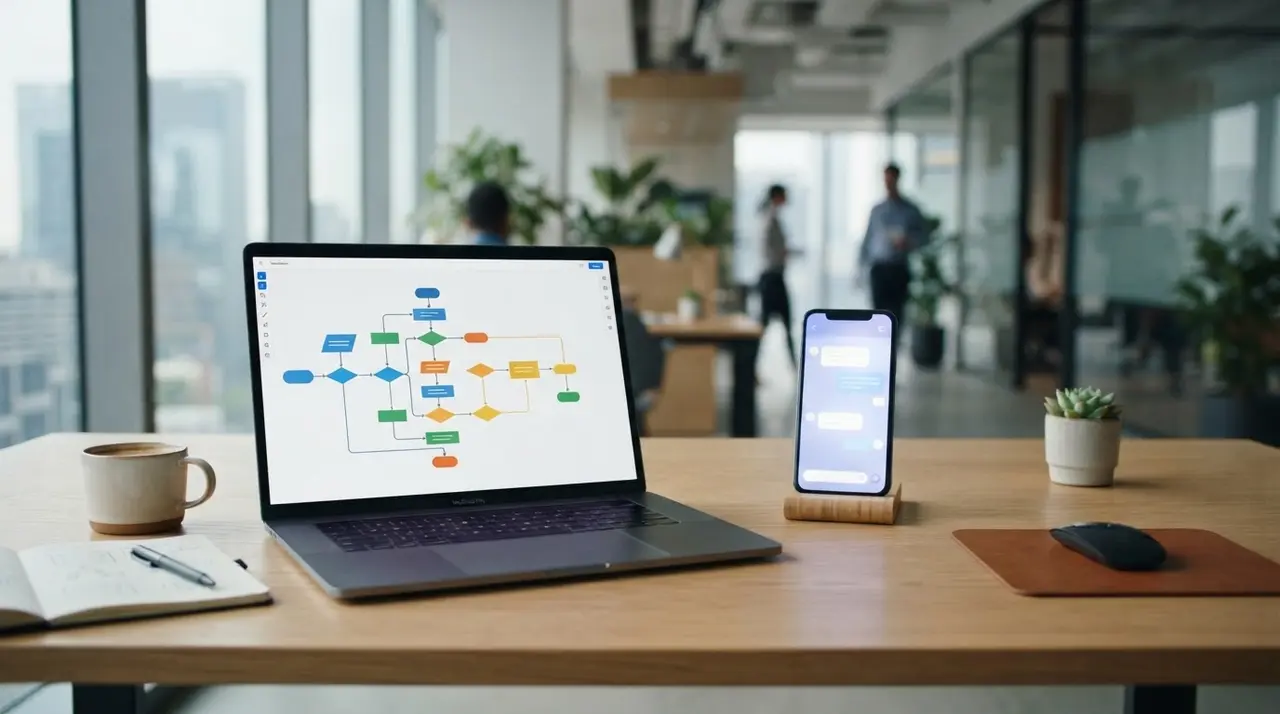
WhatsApp Business automation is the process of setting up rules, workflows, and AI agents to handle customer interactions without manual intervention. You can automate WhatsApp responses without writing a single line of code by using visual drag-and-drop platforms, ready-made templates, and low-code tools like n8n.
For small and medium-sized businesses, answering the same questions every day drains valuable resources. Whether you run a retail store, a clinic, or a travel agency, your customers expect instant replies. If they do not get them, they will simply message your competitor.
The good news is that the technical barrier to entry has vanished. Today, you do not need a computer science degree to build sophisticated communication workflows. By leveraging modern visual builders, you can map out customer journeys and connect your messaging app to your favorite business tools in just a few hours.
Visual Platforms Make WhatsApp Automation Accessible
Visual builders allow anyone to create conversational flows using drag-and-drop interfaces instead of complex programming languages. These platforms have revolutionized how small businesses approach customer service, turning a previously technical task into a simple, logical puzzle.
When you use a no-code chatbot builder, you are essentially drawing a map of how a conversation should go. You place a "node" for a greeting, draw a line to a "menu" node, and set up simple rules. It is intuitive and fast.
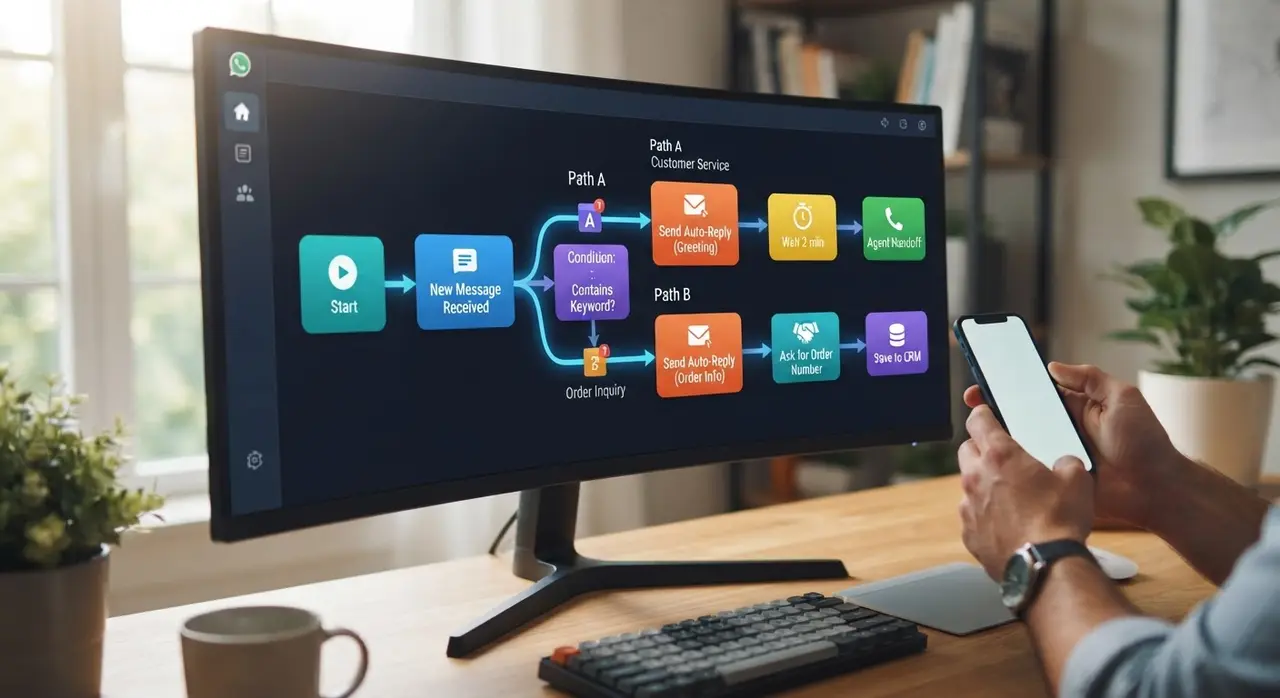
The main benefits of using visual platforms include:
- Speed of deployment: You can launch a basic FAQ bot in under an hour.
- Easy maintenance: If your business hours change, you simply edit a text block on the screen.
- Built-in templates: Most tools offer pre-built flows for lead generation, appointment booking, and customer support.
- Seamless integrations: Many platforms connect natively to popular CRMs and payment gateways.
If you are looking for reliable platforms, you can explore the tools used by our official partners, which provide robust, code-free environments to start automating immediately.
Low-Code Solutions like n8n Connect Your Entire Business
Low-code tools like n8n bridge the gap between simple chatbots and powerful business automations by connecting WhatsApp to your existing software. While no-code platforms are great for basic conversations, low-code platforms allow you to build deep, data-driven workflows.
Imagine a customer asking for their current policy status. A basic bot might just give them a phone number to call. A low-code setup using n8n can automatically take the customer's phone number, query your internal database, retrieve the policy details, and send a personalized PDF directly to their chat.
Here is a quick comparison of the different approaches to automation:
| Automation Approach | Technical Skill Needed | Best Used For | Scalability & Power |
|---|---|---|---|
| Native App Features | None | Basic away messages and quick replies | Low |
| No-Code Builders | Beginner | FAQ chatbots, simple menus, and lead capture | Medium |
| Low-Code (n8n) | Intermediate | CRM sync, database queries, and custom AI agents | High |
Using n8n gives you the flexibility of writing custom scripts only when absolutely necessary, while handling the heavy lifting of API connections visually. This is especially useful for niche industries that use specific management software.
How to Automate WhatsApp Responses Step-by-Step
Building your first automated WhatsApp workflow requires mapping customer journeys before selecting templates and connecting your API. Skipping the planning phase is the most common mistake beginners make when attempting to automate.
Follow these actionable steps to ensure a smooth implementation:
- Map the frequent questions: Look at your chat history. Identify the top 5 questions your team answers daily (e.g., location, pricing, hours).
- Design the flow on paper: Before opening any software, draw out the conversation tree. What happens if the user says "Yes"? What if they say "No"?
- Select your platform: Choose a no-code or low-code tool that fits your technical comfort level and budget.
- Apply for the WhatsApp Business API: To use advanced platforms, you need an official API account. Most visual builders will guide you through this process automatically.
- Build, test, and deploy: Start small. Build a simple greeting and menu, test it with your internal team, and roll it out to the public.
Remember to always include a clear path for the customer to speak to a human agent. Automation should enhance the customer experience, not trap users in endless robotic loops.
Real Application: IAChatbot in Action
Implementing professional AI solutions transforms overwhelmed support numbers into efficient, revenue-generating channels. Let's look at a concrete example of how powerful this can be when done correctly.

A busy local veterinary clinic was struggling with high call volumes and missed weekend appointment requests on WhatsApp. Their receptionists were burning out, and pet owners were frustrated by slow response times.
By partnering with IAChatbot, they deployed a tailored low-code automation. We connected their WhatsApp API directly to their existing scheduling software using n8n and an AI agent. The result? The AI now handles 100% of routine booking inquiries, verifies available time slots in real-time, and schedules appointments automatically.
The clinic achieved zero missed booking requests outside of business hours, and the owners did not have to write a single line of code. If you want to learn more about this specific setup, you can read our guide on how to add AI to your vet system seamlessly.
When to Build It Yourself vs. When to Hire Experts
While DIY no-code tools work well for basic FAQs, scaling companies benefit significantly from hiring specialized AI automation agencies. The decision between building in-house and outsourcing comes down to the complexity of your operations and the value of your time.
If you only need a simple greeting menu to route customers to the right human department, a basic visual builder subscription is perfectly fine. It is a low-risk way to dip your toes into the world of automation.
However, if you want your WhatsApp to act as a 24/7 sales representative—capable of answering complex product questions, integrating with your ERP, recovering abandoned carts, and processing payments—you need professional architecture. Maintaining APIs, managing AI hallucinations, and optimizing conversation flows require dedicated expertise.
By bringing in experts, you ensure that your automation stack is built for the future. For instance, creating a complete automation stack for aesthetics clinics involves syncing patient records, managing recurring treatments, and sending smart reminders—tasks best handled by professionals.
Frequently Asked Questions
Can I automate WhatsApp Business for free?
You can use the native quick replies and away messages in the standard WhatsApp Business app for free. However, for advanced chatbots, drag-and-drop visual builders, and AI integrations, you will need to pay for a third-party platform and the WhatsApp API conversation fees.
Do I need the WhatsApp API for automation?
Yes, to build robust automations without code using platforms like n8n, ManyChat, or Botpress, you must use the official WhatsApp Cloud API. The standard mobile app does not support complex, multi-step automated workflows or external software integrations.
Will my customers know they are talking to a bot?
Yes, and it is best practice to be transparent about it. A well-designed automated response should introduce itself as a virtual assistant, offer clear options, and always provide an easy way to transfer the conversation to a real human if needed.
Is n8n difficult to learn for a beginner?
While n8n is a low-code tool and easier than traditional programming, it requires a basic understanding of logic, data structures (like JSON), and APIs. Beginners can learn it through tutorials, but businesses looking for immediate, complex results often hire experts to set it up.
Can automation connect to my current CRM?
Absolutely. Most modern no-code and low-code platforms feature pre-built connectors for popular CRMs like Salesforce, HubSpot, and Pipedrive. If a native connector does not exist, tools like n8n can use webhooks to push and pull data seamlessly.