
HubSpot WhatsApp: Stop Losing Leads with a CRM
Stop losing WhatsApp leads to unanswered messages. Discover how to integrate HubSpot WhatsApp and find the best CRM for WhatsApp to automate follow-ups.
- WhatsApp CRM
- Lead Management
- HubSpot WhatsApp
- Sales Automation
- Customer Experience

To stop losing WhatsApp leads, businesses must connect their messaging app to a CRM that automatically captures every contact, triggers follow-up alerts, and enforces response time SLAs. Using tools like a HubSpot WhatsApp integration ensures that no message goes unanswered and every prospect enters a structured sales pipeline.
When customers reach out via WhatsApp, they expect immediate answers. If your team relies on memory to reply, prospects will inevitably slip through the cracks. A dedicated CRM transforms your chat from a chaotic inbox into a predictable revenue engine.
By automating the initial capture and setting strict rules for agent responses, you guarantee that every single inquiry receives proper treatment. Let us explore how to implement this strategy without overhauling the systems you already use.
Why Unstructured WhatsApp Leads to Lost Sales
Managing WhatsApp conversations without a central system inevitably leads to forgotten prospects and lost revenue. When multiple agents share a single phone or use disconnected web interfaces, accountability vanishes. Messages are read and forgotten, follow-ups are delayed, and potential clients move on to competitors.
The core issue is the lack of Service Level Agreements (SLAs). Without a CRM, managers cannot track how long a lead has been waiting for a reply. This blind spot forces sales leaders to manually check chats, wasting hours of productive time.
Furthermore, valuable customer data remains trapped inside the mobile device. If an agent leaves the company, the context of those negotiations leaves with them. Structuring this data is the first step toward scalable growth.
Core Features of the Best CRM for WhatsApp
The best CRM for WhatsApp must feature automatic lead logging, intelligent routing, and SLA breach alerts. It should act as a safety net that catches every incoming message and assigns it to the right person instantly. Without these features, automation efforts will fall flat.
- Automated Contact Creation: New numbers must instantly become CRM profiles.
- Intelligent Routing: Chats should be assigned based on agent availability or expertise.
- SLA Alerts: Managers need notifications when a chat sits unread for too long.
- Automated Follow-ups: Triggers should send check-in messages if a lead goes cold.
When evaluating platforms, focus on how seamlessly they blend into your current workflow. The goal is to enhance your team's efficiency, not force them to learn an entirely new software ecosystem from scratch.
| Feature | Manual WhatsApp Business | WhatsApp CRM Integration |
|---|---|---|
| Lead Capture | Manual data entry required | Automatic profile creation |
| Response SLAs | No tracking available | Automated alerts and escalations |
| Follow-ups | Relies entirely on agent memory | Triggered by pipeline rules |
| Analytics | Basic message volume counts | Full conversion and response tracking |
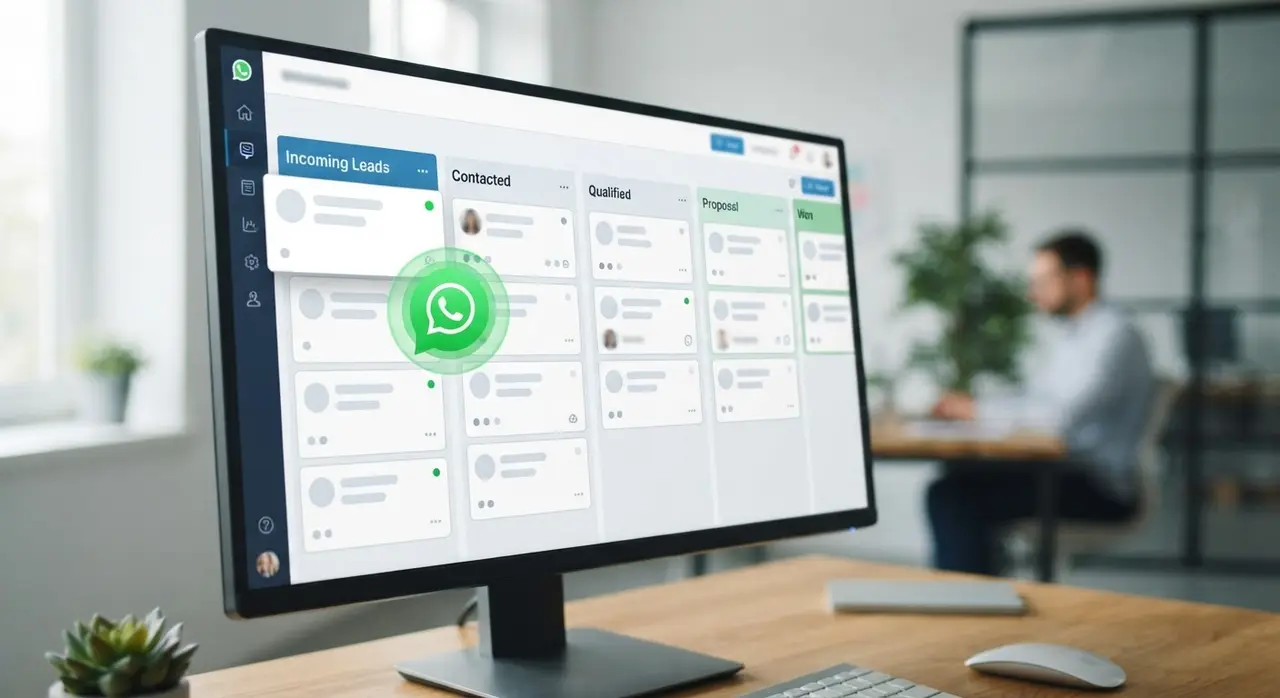
The Power of a HubSpot WhatsApp Integration
A native HubSpot WhatsApp integration centralizes all customer data and triggers automated workflows based on chat behavior. When a prospect sends a message, HubSpot instantly logs the interaction on their timeline. This gives your sales team complete context before they even type a reply.
You can set up workflows that move a deal to a new pipeline stage the moment a specific WhatsApp message is received. For example, if a lead sends the word "Pricing," the system can automatically update their deal status and notify the assigned rep.
This level of synergy allows companies to leverage powerful AI solutions directly within HubSpot. By combining AI agents for initial triage with HubSpot's robust tracking, your human agents only step in when a lead is warm and ready to buy.
Mini-Case Study: Zero Lost Leads in Real Estate with iachatbot
Implementing iachatbot alongside a CRM completely eliminates missed weekend inquiries for high-volume sales teams. Consider a mid-sized real estate agency that struggled with weekend property inquiries. Prospects would message on Saturday, but agents would not reply until Monday, resulting in a 40% drop-off rate.
The agency deployed iachatbot to intercept all weekend WhatsApp messages. The AI agent answered basic questions about property locations, captured the user's budget, and instantly pushed this data into their CRM as a qualified lead.
Because the CRM was configured with strict routing rules, the hottest leads were automatically assigned to the first available agent on Monday morning. The result was a 0% lost lead rate and a significant increase in booked property viewings within the first month.
Step-by-Step: Building a WhatsApp Customer Service CRM Strategy
Building a successful WhatsApp customer service CRM strategy requires defining clear response times, mapping the sales funnel, and automating initial replies. You cannot simply plug in a software and expect immediate results; you need a structured operational plan.
Step 1: Map the Customer Journey. Identify the most common reasons people message your business. Are they asking for support, requesting quotes, or checking order statuses? Categorizing these intents helps you design the right CRM pipelines.
Step 2: Define Strict SLAs. Decide what constitutes an acceptable wait time. For high-ticket sales, a response within 5 minutes might be mandatory. Configure your CRM to flash red or alert a manager if this threshold is breached.
Step 3: Deploy AI for Immediate Handoffs. Use AI to handle the first touchpoint. An intelligent bot can greet the user, collect their name and email, and log it into the CRM before routing to a human. Exploring different AI use cases will show you exactly how to tailor this handoff for your industry.

Ensuring the Human Touch in Automated Follow-ups
Automated follow-ups remain effective only when they mimic natural human conversation and provide immediate value. A robotic, generic message like "Are you still interested?" often gets ignored. Instead, CRM triggers should use personalization variables based on the lead's previous interactions.
If a lead inquired about a specific software feature, your automated follow-up should mention that exact feature. Modern CRM platforms allow you to pull dynamic fields—such as the prospect's name, company, or last viewed product—directly into the WhatsApp message template.
This personalization is one of the greatest benefits of using AI in your sales process. It allows you to scale your outreach massively without sacrificing the tailored experience that modern B2B buyers demand. The system remembers everything, so your team does not have to.
Frequently asked questions
How does a CRM prevent lost WhatsApp leads?
A CRM prevents lost leads by automatically logging every incoming WhatsApp message as a new contact and creating a trackable ticket. This ensures no conversation relies on an agent's memory. Managers can oversee all interactions and step in if a lead is ignored.
What is the best CRM for WhatsApp?
The best CRM for WhatsApp depends on your company size, but platforms like HubSpot, Kommo, and Salesforce are top choices. They offer robust API integrations, automated workflow triggers, and seamless handoffs between AI bots and human agents.
Can I integrate HubSpot with WhatsApp?
Yes, you can integrate HubSpot with WhatsApp using native integrations or official API providers. This integration allows you to send automated template messages, track chat history directly within the HubSpot timeline, and trigger deal stage changes based on replies.
How do SLAs work in a WhatsApp customer service CRM?
SLAs in a WhatsApp customer service CRM define the maximum acceptable response time for a message. If an agent fails to reply within this programmed window, the system automatically alerts a supervisor or re-routes the chat to another available team member.