
WhatsApp Business CRM: How It Handles Leads Automatically
Discover how a CRM in WhatsApp Business automates lead capture, qualification, and follow-ups. Stop losing sales to forgotten messages and scale your revenue.
- WhatsApp CRM
- Sales Automation
- WhatsApp SDR
- Lead Management
- AI in Sales

The Ping That Starts It All
"Ping." Another lead just messaged your company's WhatsApp. In a traditional setup, this is where the chaos begins. If your sales team is busy, that message sits unread. If they answer, they might forget to save the contact, lose track of the conversation, or fail to follow up three days later.
Relying on human memory to manage a high volume of conversations is a guaranteed way to lose money. This is exactly where a CRM in WhatsApp Business changes the game.
Instead of a messy inbox, imagine an invisible machine that captures the lead, asks the right questions, routes them to the best salesperson, and schedules the follow-up—all automatically. Let's walk through the exact journey of a lead from the first "Hello" to the final "Deal Closed," and see how automation takes the heavy lifting off your team's shoulders.
Phase 1: Instant Capture and Zero Leakage
Speed is everything in modern sales. Research consistently shows that responding to a lead within the first five minutes increases the odds of conversion exponentially. But human agents need to sleep, eat, and take breaks.
When a lead enters via WhatsApp, the CRM immediately goes to work. It doesn't just send a generic "We will be right with you" message. It actively logs the interaction.
- Contact Creation: The lead's phone number and name (if available) are instantly saved as a new contact in the database.
- Source Tracking: The system tags exactly where the lead came from—be it an Instagram ad, a website widget, or a direct link.
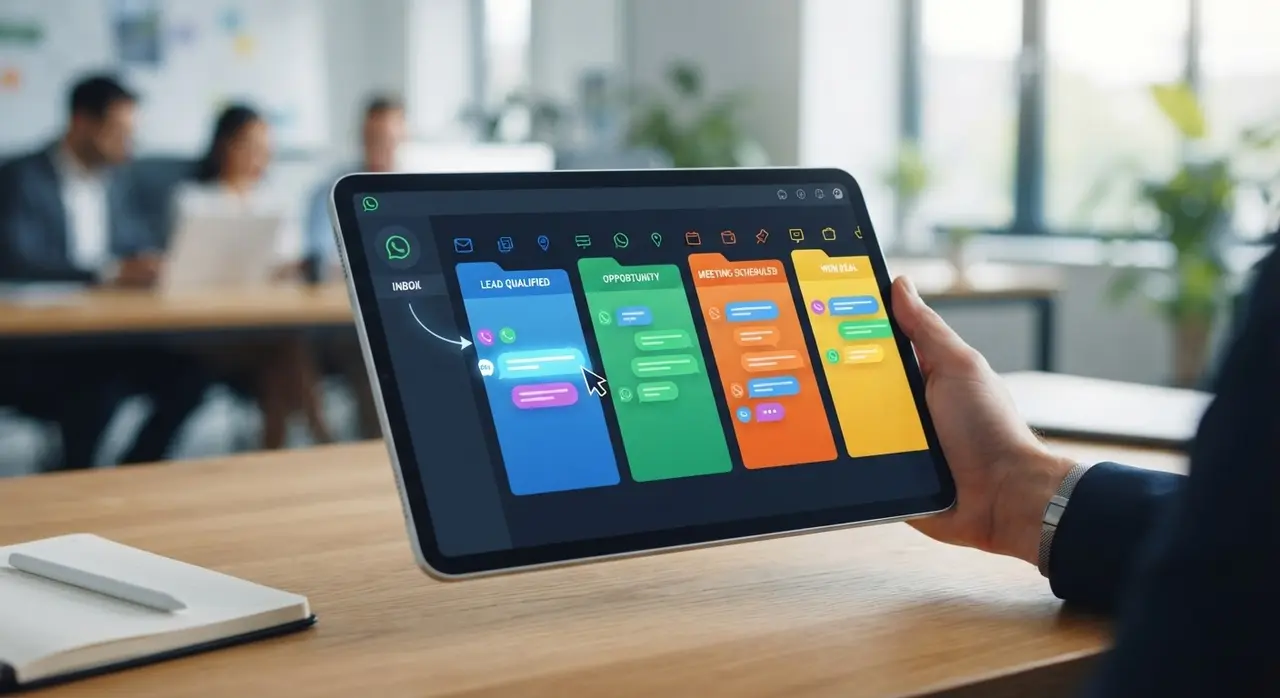
- Deal Initiation: A new card is automatically created in your sales pipeline's "New Lead" column.
There is absolutely no manual data entry required. The salesperson doesn't have to copy and paste numbers into a spreadsheet. The lead is secured, and the data is safe.
Phase 2: The AI-Powered SDR WhatsApp
Not every lead that messages you is ready to buy. Some are just browsing, some don't have the budget, and others need your solution yesterday. Passing all these raw conversations directly to your closers wastes their valuable time.
Enter the automated SDR WhatsApp (Sales Development Representative). Instead of a human spending hours asking basic qualifying questions, an AI agent takes over the initial chat.
This intelligent assistant engages the prospect in a natural, conversational tone. It asks the essential questions needed to qualify the deal:
- "What specific product or service are you looking for today?"
- "What is your estimated timeline for this project?"
- "Are you currently using any other solution?"
Based on the answers, the CRM automatically updates the lead's profile fields. If the lead is unqualified, the AI politely ends the interaction or offers self-service resources. If the lead is highly qualified, the CRM instantly moves the deal card to the "Qualified" stage.
Phase 3: Smart Routing and Context Handoff
Once the lead is qualified, they need to speak to a human expert to close the deal. But nothing frustrates a customer more than having to repeat everything they just told the chatbot.
A proper WhatsApp sales CRM handles the handoff seamlessly. It uses smart routing rules to assign the lead to the right salesperson based on criteria like:
- Product expertise: Routing to the specialist for that specific service.
- Availability: Checking who is currently online and has the lowest workload.
- Round-robin: Distributing leads equally among the sales floor.
When the human agent receives the notification, they don't just see a random number. They see the entire conversation history, the lead's budget, their needs, and their timeline—all beautifully summarized in the CRM interface. They step into the conversation fully armed with context.
Phase 4: The Relentless Follow-Up Machine
Most sales are not closed on the first interaction. It often takes five to eight touchpoints to win a deal. Yet, most salespeople give up after the second attempt because they simply forget or feel disorganized.
This is where the CRM proves its worth. It entirely removes the burden of memory from the salesperson.
- Automated Reminders: If a proposal was sent and the lead hasn't replied in 48 hours, the CRM pings the salesperson to follow up.
- Automated Nudges: Even better, the system can be configured to automatically send a gentle, personalized WhatsApp message: "Hi [Name], just checking if you had any questions about the proposal I sent on Tuesday?"
- Status Tracking: The deal card automatically changes color or moves to a "Needs Follow-Up" stage, ensuring no opportunity falls through the cracks.

By leveraging AI automation solutions, your company ensures a persistent, professional, and entirely scalable follow-up strategy. You stop leaving money on the table simply because someone forgot to send a text.
Phase 5: Proposal, Negotiation, and Closing
As the conversation progresses, the salesperson will eventually send a proposal or a payment link. With an integrated setup, this action is also tracked.
When the client agrees and makes the payment, the CRM updates the deal to "Closed Won." But the journey doesn't stop there. The system can trigger post-sale automations, such as:
- Sending a welcome message and onboarding materials via WhatsApp.
- Requesting a Google review a week later.
- Notifying the customer success team to take over the account.
For businesses with recurring revenue, like subscription services or medical clinics, this setup is perfect for automating sales and renewals without manual intervention.
Manual vs. Automated WhatsApp Sales
To truly understand the impact, let's look at a direct comparison of how a typical business handles leads with and without a CRM.
| Process Stage | Manual WhatsApp (Without CRM) | Automated WhatsApp (With CRM) |
|---|---|---|
| Lead Capture | Agent manually saves the number to their phone. Often forgotten. | Instantly logged in the database with source tracking. 100% capture rate. |
| Qualification | Agent spends 20 minutes asking basic questions, delaying other replies. | AI acts as an SDR, qualifying leads in seconds, 24/7. |
| Follow-Up | Relies on sticky notes, memory, or messy spreadsheets. High drop-off rate. | Automated reminders and auto-messages. Zero forgotten leads. |
| Management | Blind spot for managers. Cannot see conversion rates or response times. | Full dashboard visibility. Track every metric, bottleneck, and success. |
The Power of Integration
The magic happens when your WhatsApp is seamlessly connected to industry-leading platforms. By using systems provided by official partners like Kommo, you ensure that the integration is stable, compliant with Meta's policies, and endlessly customizable.
You don't need to be a coding genius to make this work. Modern AI agents and CRM platforms use visual builders. You simply map out the conversation flow, set the triggers, and let the technology handle the rest. The result is a highly professional, lightning-fast experience for your customer, and a stress-free, highly productive environment for your sales team.
Conclusion: Stop Relying on Memory, Start Relying on Systems
Treating WhatsApp as just a messaging app is a critical mistake for any growing business. It is a powerful sales channel, but only if you have the infrastructure to support it.
When a lead enters your funnel, a CRM ensures they are greeted instantly, qualified intelligently, routed correctly, and followed up relentlessly. It transforms your WhatsApp from a chaotic inbox into a predictable, revenue-generating machine. Empower your team with the right tools, and they will spend less time doing data entry and more time doing what they do best: closing deals.
Frequently Asked Questions
Can a CRM reply to WhatsApp automatically?
Yes. When integrated via the official WhatsApp Business API, a CRM can use chatbots and AI agents to send instant replies, welcome messages, and qualifying questions without any human intervention.
Do I still need a human SDR if I use AI on WhatsApp?
It depends on the complexity of your product. For most small to medium businesses, an AI acting as an SDR can handle 80% of the initial qualification. This allows your human team to focus entirely on closing qualified deals rather than asking basic screening questions.
Is it hard to integrate a WhatsApp sales CRM?
Not anymore. Modern platforms offer plug-and-play integrations. While setting up advanced automated workflows requires some strategic planning, the technical connection between WhatsApp and a professional CRM takes just a few clicks.
Will my customers know they are talking to a bot?
Yes, and that is usually a good thing. Transparency builds trust. However, modern AI agents communicate in a highly natural, conversational tone, making the experience pleasant and efficient rather than robotic and frustrating.