
WhatsApp Business CRM: Master Scheduling & Reduce No-Shows
Discover how a WhatsApp Business CRM automates scheduling, syncs calendars in real-time, and sends smart reminders to completely eliminate no-shows.
- WhatsApp Business CRM
- CRM Integration
- Sales Automation
- Scheduling
- SDR Tools

The Chaos of Manual WhatsApp Scheduling
Managing appointments through WhatsApp can often feel like a never-ending puzzle. You send a list of available times, the client takes hours to reply, and by the time they do, that time slot is already gone. This constant back-and-forth frustrates customers and wastes your team's valuable time.
Let's face it: using a standard chat app for business scheduling is a risky game. Messages get easily buried, and human error inevitably leads to embarrassing double bookings. When your receptionist or sales team handles dozens of conversations simultaneously, mistakes are bound to happen.
You need a system that connects your conversation directly to your agenda. By implementing a reliable WhatsApp Business CRM, you can turn chaotic, disorganized chats into a streamlined, automated booking machine.
How a CRM Integrado ao WhatsApp Transforms Booking
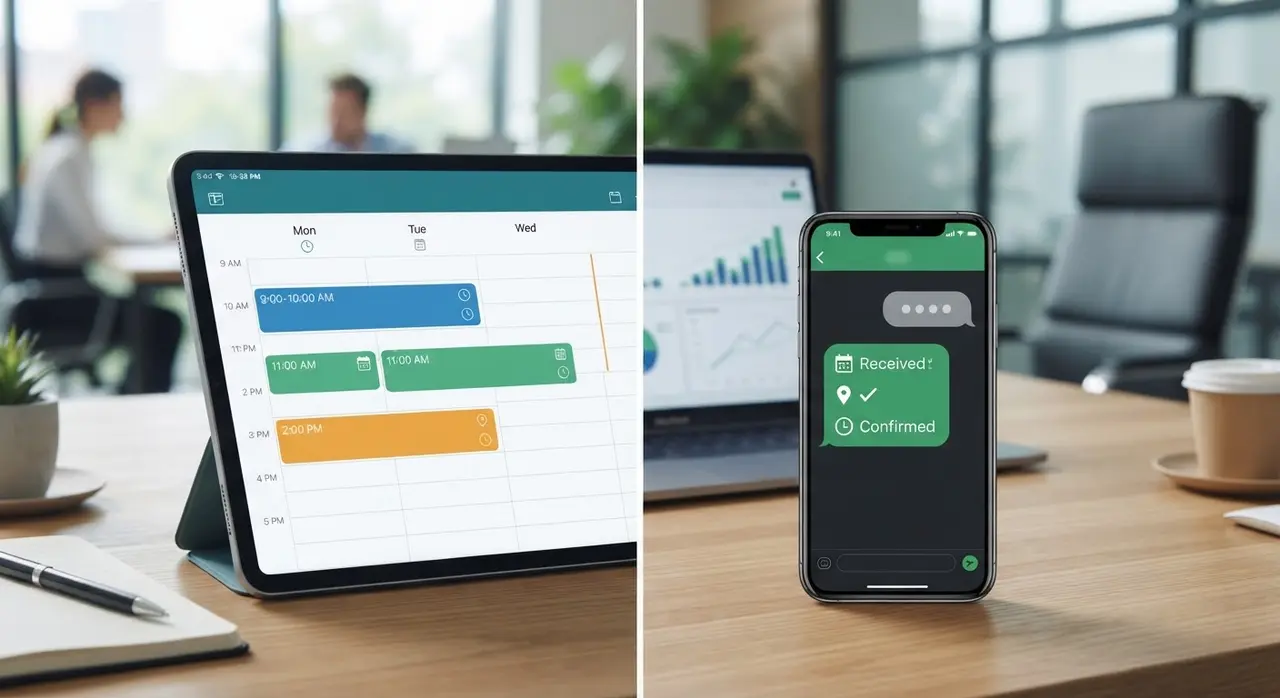
This is where a CRM integrado ao WhatsApp (WhatsApp-integrated CRM) completely changes the game. Instead of constantly switching tabs between your chat application and your Google Calendar, everything happens in one unified dashboard.
Real-Time Calendar Syncing
With a proper integration, your calendar is always up to date. If a time slot is booked by one client, it instantly disappears from the available options shown to others. There is no manual updating required.
- No more double bookings: Availability is synced across all platforms instantly.
- Centralized data: Every appointment is logged under the customer's profile automatically.
- Team visibility: Managers can see everyone's schedule at a glance without asking for updates.
Booking Directly Inside the Chat
Modern integrations leverage WhatsApp's interactive buttons and list messages. Instead of typing out dates, the customer clicks "Book Now," selects a service, and sees a menu of available dates. It is entirely self-serve.
This creates a frictionless experience. The client never has to leave their favorite messaging app to fill out a web form. They get what they want instantly, and your calendar fills up automatically.
CRM para SDR: Supercharging Your Sales Team
For Sales Development Representatives (SDRs), speed is everything. When a lead is qualified, the immediate next step is booking a discovery call. If the rep has to leave WhatsApp to check a calendar, copy-paste times, and wait for a reply, the momentum dies.
A dedicated CRM para SDR eliminates this delay completely. The rep simply triggers a booking flow directly in the chat while the lead's interest is at its peak. The lead picks a time, and the CRM automatically updates the pipeline stage.
This not only saves the SDR hours of administrative work each week but also drastically increases conversion rates. When you remove friction from the scheduling process, more leads turn into booked meetings.
Automation: Say Goodbye to No-Shows
Booking the meeting is only half the battle. Getting the client to actually show up is where many businesses struggle and lose revenue. A smart CRM handles this heavy lifting for you through automated workflows.
Instant Confirmations
As soon as a client books a slot, the system automatically sends a personalized WhatsApp message. This message includes the date, time, location or meeting link, and a calendar invite they can save to their phone.
Smart Reminders
You can set up automated nudges 24 hours and 1 hour before the appointment. Because WhatsApp has an open rate of over 90%, clients are almost guaranteed to see it. If you run a healthcare or wellness business, this type of clinic automation can reduce no-shows by up to 40%.
Frictionless Rescheduling
Life happens, and sometimes clients need to change their plans. Instead of ignoring the meeting, they can simply reply to the automated reminder to reschedule. The system cancels the old appointment, frees up the slot instantly, and offers new times—all without human intervention.

Comparing Manual vs. CRM WhatsApp Scheduling
To truly understand the impact, let's look at a practical comparison between doing things the old way and using an integrated system.
| Feature | Manual WhatsApp | Integrated CRM |
|---|---|---|
| Booking Process | Slow back-and-forth messages | Instant, self-serve interactive menus |
| Calendar Sync | Manual data entry required | Automatic, real-time syncing |
| Reminders | Often forgotten or sent too late | Automated at precise intervals |
| No-Show Rate | High (relies on client memory) | Low (proactive alerts ensure attendance) |
Step-by-Step: Organizing Your Schedule
Ready to transform your booking process? Here is how you can organize your schedule starting today:
- Map your workflow: Define how long your appointments take, buffer times between meetings, and who handles them.
- Choose the right tools: Look for robust AI solutions that natively connect WhatsApp to your existing calendar systems like Google Calendar or Outlook.
- Set up automated templates: Craft friendly, concise confirmation and reminder messages that reflect your brand's voice.
- Train your team: Ensure your staff knows how to leverage the new system to close deals faster and handle exceptions smoothly.
Conclusion
Integrating your scheduling process with a powerful WhatsApp CRM is no longer just a luxury; it is a necessity for modern, growing businesses. It saves countless hours, provides a flawless customer experience, and protects your revenue from costly no-shows.
By automating confirmations, syncing calendars in real-time, and empowering your team with the right tools, you take control of your time. Don't let a disorganized inbox dictate your company's growth—upgrade your scheduling process today.
Frequently asked questions
Can I connect my Google Calendar to WhatsApp?
Yes. A robust CRM allows you to sync Google Calendar, Outlook, or Apple Calendar natively. When a client books via WhatsApp, it reflects instantly on your personal or team calendar, blocking that time slot from future bookings.
How does a CRM help reduce missed appointments?
It sends automated, personalized reminders via WhatsApp directly to the client's phone before the meeting. Since WhatsApp messages are rarely ignored, clients are much more likely to remember the commitment or reschedule in advance, freeing up your agenda.
Is this setup complicated for small businesses?
Not at all. Many modern platforms offer plug-and-play integrations designed specifically for small to medium businesses. If you want to see exactly how it works for your specific workflow, you can easily book a free demo and have an expert guide you through the setup.