
WhatsApp for Scheduling: Reduce No-Shows with Reminders
Discover how WhatsApp for scheduling and automated reminders can slash no-show rates, centralize customer service, and boost your business revenue today.
- WhatsApp Business
- Scheduling Automation
- Customer Retention
- AI Agents
- Business Growth
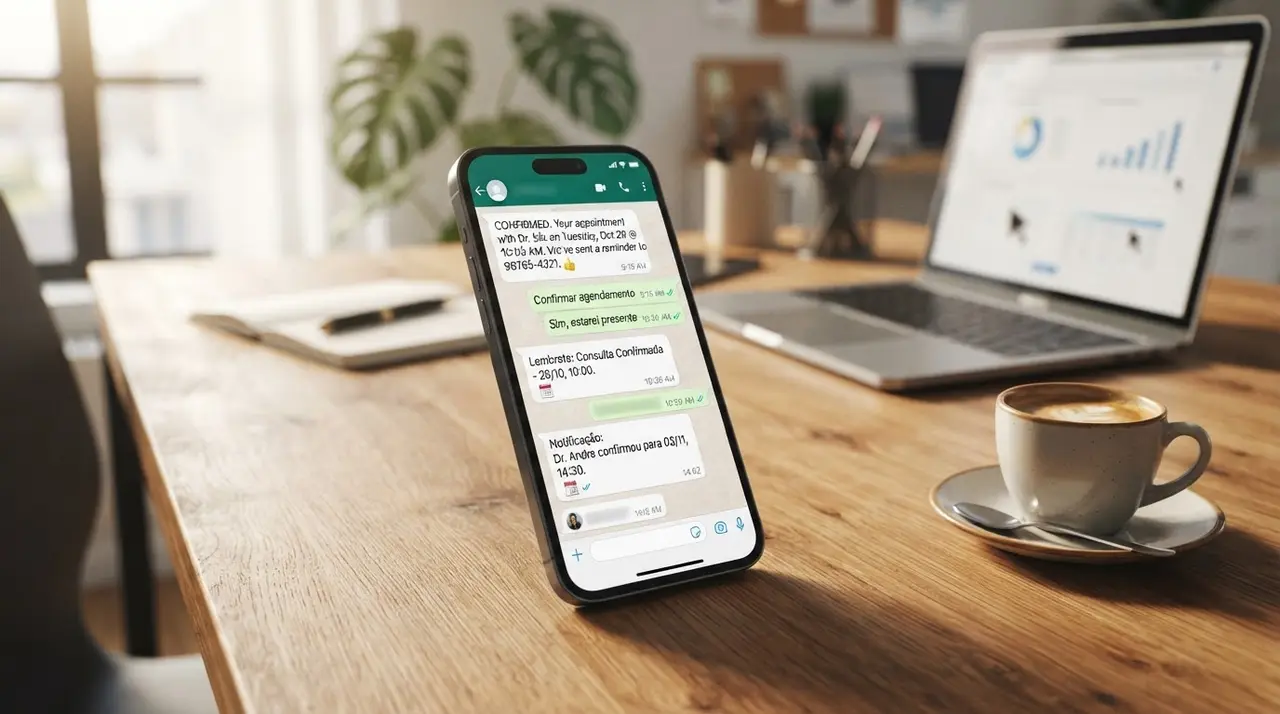
The Silent Profit Killer: Why No-Shows Hurt Your Business
Empty chairs in your waiting room or abandoned Zoom links mean one thing: lost revenue. Whether you manage a busy dental clinic, a high-end salon, or a B2B consultancy, no-shows are a silent profit killer. Every time a client forgets an appointment, you lose time that could have been sold to someone else.
Traditional methods to prevent missed appointments just do not work anymore. Emails get buried deep in spam folders or promotional tabs. Phone calls are often ignored or sent straight to voicemail. Standard SMS messages feel impersonal and are easily overlooked by busy consumers.
This is where leveraging WhatsApp for scheduling changes the game completely. With open rates soaring above 90%, it is undeniably the most reliable channel to reach your customers exactly where they already spend their time. By setting up intelligent, automated reminders, you can keep your calendar full, your clients engaged, and your revenue predictable.
How WhatsApp for Scheduling Changes the Game
When you integrate your scheduling process directly into a messaging app, you instantly remove friction. Customers do not need to download a new application, remember a password, or navigate a clunky web portal. They simply chat, pick a time, and confirm. It is conversational, intuitive, and incredibly fast.
However, to make this work seamlessly at scale, you need to centralizar atendimento whatsapp (centralize WhatsApp service). Having multiple employees using their personal phones or unlinked devices leads to utter chaos. It causes double bookings, missed messages, and a fragmented brand voice.
By unifying your communication into a single, shared inbox, you ensure every client gets the same high-quality, immediate experience. Furthermore, effective prospecção pelo whatsapp (WhatsApp prospecting) often culminates in booking a meeting or a consultation. If that final booking process is seamless and automated, your lead conversion rates will skyrocket.

The Perfect Automated WhatsApp Scheduling Flow
To drastically reduce no-shows, you need a structured, well-thought-out reminder flow. It is not just about sending a single generic message; it is about creating a helpful, non-intrusive sequence that guides the customer.
A successful automation flow respects the user's time while subtly securing their commitment. Here is the proven three-step sequence that top-performing businesses use to keep their attendance rates near 100%.
Step 1: The Immediate Confirmation
The moment an appointment is booked, an automated message should trigger instantly. This message serves as a digital receipt. It reassures the client that their request was successful and locks the event into their mental schedule.
- What to include: Date, time, location (or link), and the name of the professional they will meet.
- Pro tip: Include a polite note stating your cancellation policy, framing it as a mutual respect for time.
- Call to action: Add a button or a quick reply asking them to "Confirm Receipt" to build early micro-commitment.
Step 2: The 24-Hour Gentle Nudge
A day before the appointment is the critical window. This is when life gets in the way, and people realize they have a scheduling conflict. Your 24-hour reminder should be friendly and highly actionable.
Instead of just telling them about the appointment, give them an easy out if they need to reschedule. It is much better to have a client reschedule 24 hours in advance than to have them simply not show up.
Step 3: The 2-Hour Actionable Reminder
This is the final touchpoint. The 2-hour reminder is practical and logistical. It assumes the client is coming and provides the final details they need to arrive smoothly.
If you run a physical location, send a Google Maps link or parking instructions. If it is a virtual meeting, send the video conference link again so they do not have to dig through their inbox. This level of proactive service delights customers and destroys friction.
Timing, Tone, and Calendar Integration
A reminder is only effective if it arrives at the right time and speaks to the client in the right tone. Automation should never feel robotic or demanding. It must feel like a helpful assistant ensuring the client's day goes smoothly.
Getting the Timing Right
Timing is everything in messaging. Send a reminder too early, and they will forget it again. Send it too late, and they won't have the necessary time to commute or reschedule, leaving you with an empty slot anyway.
| Message Stage | Ideal Timing | Primary Goal |
|---|---|---|
| Confirmation | Instantly upon booking | Provide peace of mind and lock in the date. |
| First Reminder | 24 to 48 hours before | Confirm attendance or offer easy rescheduling. |
| Final Nudge | 1 to 2 hours before | Provide logistical details (maps, links, parking). |
Striking the Perfect Tone
Your WhatsApp messages should reflect your brand's personality, but they should always lean towards being helpful rather than demanding. Use emojis sparingly to add warmth, but keep the core information clear and professional.
Avoid aggressive language like "You must confirm or your appointment will be canceled." Instead, try: "Hi there! We are excited to see you tomorrow at 2 PM. Please tap 'Confirm' below so we can prepare for your visit!"
Seamless Calendar Integration
None of this works if your team has to manually type out reminders. Your WhatsApp platform must talk directly to your CRM or scheduling tool (like Google Calendar, Calendly, or specialized booking software). When an event is created in the calendar, it should automatically trigger the workflow.
For instance, implementing robust Clinic Automation ensures that patient data flows securely between your management system and WhatsApp, triggering reminders without human intervention.

Choosing the Right WhatsApp Customer Service Software
To execute this strategy flawlessly, you need the right technology. Not all messaging tools are created equal. You need a robust software de atendimento whatsapp (customer service software) built on the official WhatsApp Business API.
A professional platform allows you to build visual chatbot flows, integrate with tools like n8n or Zapier, and manage all conversations from a single dashboard. It also provides analytics, so you can track exactly how many no-shows you are preventing each month.
When evaluating tools, look for features like multi-agent support, automated tagging, and the ability to send interactive messages (like buttons and list menus). These elements make the confirmation process effortless for the end-user. If you want to explore the best tools for this, checking out specialized AI solutions is the perfect next step.
Real-World Impact: A Mini Case Study
Consider a mid-sized veterinary clinic that struggled with a 25% no-show rate. Their receptionists spent hours every afternoon calling pet owners to confirm next-day appointments, often getting sent straight to voicemail.
They decided to implement an automated WhatsApp scheduling and reminder flow. By integrating their vet management software with an AI agent via API, they set up the 24-hour and 2-hour reminder sequence. The messages included interactive buttons for easy confirmation or rescheduling.
Within the first 45 days, their no-show rate plummeted from 25% to just 4%. The reception team reclaimed over 15 hours a week, which they redirected towards providing better in-clinic customer service. The ROI on the automation software was achieved in less than a week just from the saved appointments.
The Future of Business Scheduling
The days of manual follow-ups and hoping clients remember their appointments are over. Consumer expectations have shifted; they now demand proactive, frictionless communication on their preferred channels.
By embracing WhatsApp for scheduling and deploying smart, automated reminders, you do more than just reduce no-shows. You elevate your brand's professionalism, improve the customer experience, and ultimately protect your bottom line.
Whether you are managing consultations, property viewings, or closing high-ticket deals through advanced Sales Automation, the principle remains the same: clear, automated communication is the key to operational efficiency.
Frequently Asked Questions
Can I automate reminders without losing the human touch?
Absolutely. The key is in the copywriting. By using a warm, conversational tone and personalizing the message with the client's name and specific appointment details, automated messages feel like a dedicated personal assistant reaching out.
Does WhatsApp charge for automated reminder messages?
Yes, if you use the official WhatsApp Business API, Meta uses a conversation-based pricing model. Utility conversations (like appointment reminders) have a very low cost per message, which is easily offset by the revenue saved from preventing just one no-show.
How do I integrate my current calendar with WhatsApp?
You can connect your existing calendar (like Google Calendar, Outlook, or industry-specific ERPs) to WhatsApp using automation platforms like n8n or Make. These tools listen for new calendar events and automatically trigger the reminder sequence in your WhatsApp software.
What if a client replies to the automated reminder with a question?
This is where a centralized inbox shines. If a client replies to the reminder with a specific question, the AI chatbot can either answer it based on a trained knowledge base or instantly route the conversation to a human agent on your team, ensuring no query goes unanswered.