
Botpress WhatsApp: Paint Store Quotes to Sales
Learn how to set up Botpress WhatsApp in your paint store. Guide customers from quotes to sales with ERP integration and continuous improvement today.
- Botpress
- WhatsApp Automation
- Paint Store
- ERP Integration
- AI Sales

The Reality of WhatsApp in a Paint Store
Managing a paint and building materials store is a high-pressure environment. Your counter is always busy, the phone is ringing, and your WhatsApp is flooded with messages. Customers expect immediate answers. If your team takes an hour to reply to a simple pricing request, that customer has already messaged your competitor across the street.
This is exactly where a botpress whatsapp integration becomes your most valuable asset. It transforms your messaging app from a chaotic inbox into a streamlined, automated sales funnel.
By deploying an intelligent AI agent, you can automate the entire customer journey. We will show you step-by-step how to take a buyer from a vague pricing question to a fully processed, integrated sale.
Why a Chatbot WhatsApp is a Game Changer
Paint stores face unique customer service challenges. You deal with a mix of professional contractors who know exactly what they want, and DIY homeowners who need step-by-step guidance.
A standard auto-responder is entirely useless here. A well-configured chatbot whatsapp does much more than say "We will be with you shortly." It actively guides the sale, asks qualifying questions, and closes the deal.
Consider a mini-case of a local hardware store. Before AI, their team spent 4 hours a day just typing out prices for standard paint gallons. After implementing an AI agent, the bot handled 75% of these inquiries instantly. Sales staff only stepped in to close high-value contractor deals or handle complex negotiations.
Step 1: Mapping the Customer Journey (Quote to Sale)
Before you open any software, you must understand your customers' intent. What are they actually trying to achieve when they text your store's number?
You need to map out the four main pillars of paint store inquiries:
- Quotes and Pricing: Processing long lists of materials, such as rollers, trays, masking tape, and various paint grades.
- Colors and Tinting: Answering complex questions about custom color mixing, base types, and specific brand color codes.
- Stock Availability: Checking if you have enough inventory to fulfill a large commercial order immediately.
- Technical Doubts: Explaining the difference between matte, satin, and semi-gloss finishes, or acrylic versus epoxy paints.
By defining these intents clearly, you ensure the AI knows exactly how to route the conversation. For a deeper dive into managing inventory automatically, check out how an AI availability agent for real-time stock can revolutionize your daily operations.
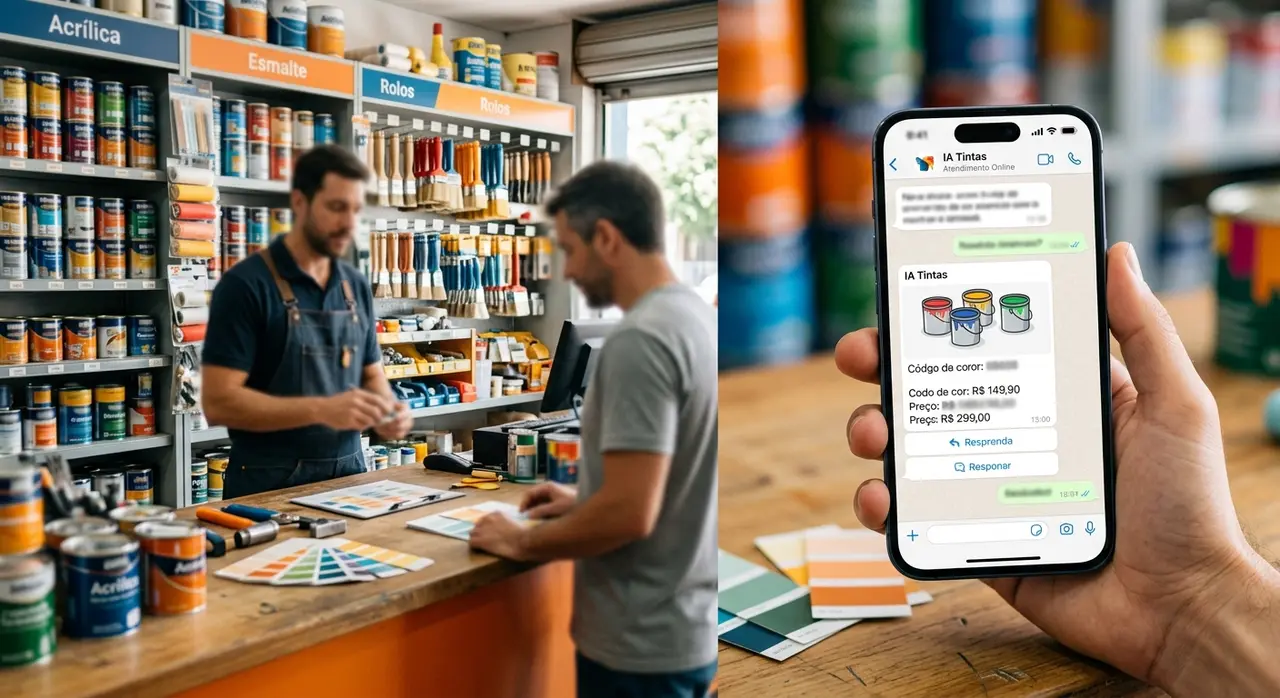
Step 2: Building the Botpress WhatsApp Flow
With your intents mapped, it is time to build the actual conversational flow in Botpress. The goal is to design a natural, frictionless experience that feels just like talking to your best salesperson.
Start with a dynamic greeting. The bot should recognize returning customers and offer a clear, numbered menu. When a user selects "Request a Quote", the AI takes over completely.
Instead of forcing the customer to type items one by one, allow them to paste their entire material list. Modern AI can read a messy message like "I need 3 cans of coral white matte, 2 rollers, and some tape" and extract the specific entities and quantities automatically.
Step 3: Integrating Botpress with Your Store's ERP
A chatbot that cannot check prices is just a glorified FAQ page. To truly automate sales, your botpress whatsapp setup must communicate directly with your store's ERP system.
This is done through API integrations. When the AI identifies the requested products, it sends a secure request to your database. It pulls the real-time price, checks available stock, and calculates any applicable bulk discounts instantly.
Here is a simple breakdown of how the integration works in real time:
| Customer Action | AI Agent Action | ERP Response |
|---|---|---|
| Requests 18L White Acrylic Paint | Queries ERP for SKU #12345 | In stock (12 units), Price: $85.00 |
| Asks for custom tinting cost | Queries tinting machine database | Base price + colorant cost added |
This seamless data exchange ensures the customer receives an accurate, ready-to-pay quote in seconds, not hours.
Step 4: Testing and the Go-Live Checklist
Never launch an AI agent without rigorous testing. Paint orders involve specific measurements, precise colors, and exact quantities. A mistake here means returned products and lost money.
Before you publish your bot, run through this essential go-live checklist:
- Test Edge Cases: Ask the bot for products you deliberately do not sell. Ensure it politely declines or offers a relevant alternative from your catalog.
- Verify ERP Data: Cross-reference the prices shown in WhatsApp with your physical point-of-sale system to ensure perfect synchronization.
- Configure the Human Handoff: Always give the customer an escape hatch. If the request is too complex, the bot must seamlessly transfer the chat history to a human salesperson.
Setting up complex API connections can be tricky. Working with official partners ensures your integration is stable, secure, and follows industry best practices.

The Secret to Long-Term Success: Melhoria Contínua
Launching your bot is only the first step. The true power of AI in retail comes from melhoria contínua (continuous improvement).
AI agents are not "set and forget" tools. They learn and adapt based on real customer interactions. Every week, your store manager should review the chat transcripts.
Look for drop-off points. Did the bot fail to understand a local slang term for a specific painting tool? Did customers ask for a new brand of spray paint you just started carrying?
By constantly updating the bot's knowledge base and refining its prompts, you guarantee that its performance improves every single month. Discover more about the benefits of using AI in customer service and how it helps scale your business predictably.
Conclusion: From Zero to Automated Paint Sales
Implementing an intelligent agent in your paint store is no longer just a futuristic luxury. It is a practical necessity to stay competitive and highly responsive to your clients.
By mapping your customer intents, building a logical flow, integrating your ERP, and committing to continuous improvement, you create a tireless digital salesperson.
Start small, test thoroughly, and watch as your WhatsApp channel transforms from a source of daily stress into a highly efficient revenue engine.
Frequently Asked Questions
Can Botpress handle complex paint color codes?
Yes. By feeding the AI with your specific brand's color charts, hex codes, and tinting formulas, it can accurately identify, categorize, and quote custom color requests without any human intervention.
What happens if the chatbot whatsapp doesn't know the answer?
A professionally designed flow always includes a seamless human handoff protocol. If the bot cannot confidently answer a highly technical question, it pauses itself and transfers the entire chat history to an available live salesperson.
Do I need coding skills to integrate my ERP?
While the platform offers a visual drag-and-drop builder for the conversation flow, connecting an ERP typically requires knowledge of REST APIs and JSON mapping. Partnering with an AI automation agency is the safest way to ensure a flawless connection.
How does continuous improvement work in practice?
Continuous improvement involves setting aside time weekly to analyze chat logs. You identify unanswered questions, update the bot's internal knowledge base, and tweak its responses. Over time, this process drastically increases your automated sales conversions.